How to Use AI to Generate a Fitness Plan

A lifelong tech enthusiast, with experiences ranging from jailbreaking his iPhone to building his own gaming PC, Rhett specializes in maintaining privacy in a digital world and iPhone security.
Learn More A lifelong tech enthusiast, with experiences ranging from jailbreaking his iPhone to building his own gaming PC, Rhett specializes in maintaining privacy in a digital world and iPhone security.
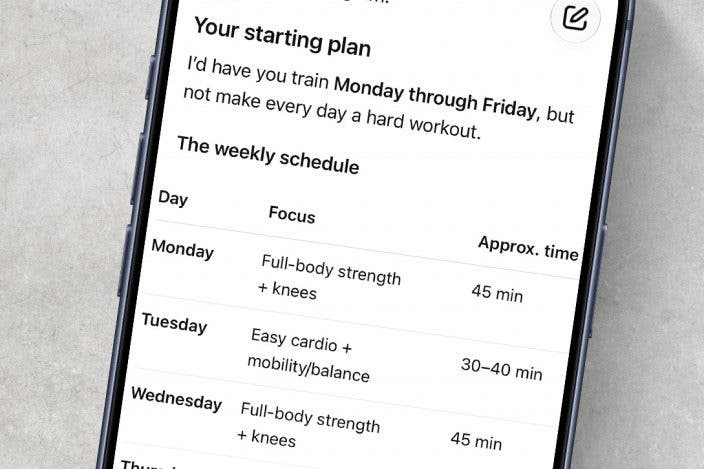
Learn MoreLooking to start your fitness journey but unsure of where to begin? Try making AI your personal trainer. An AI assistant like ChatGPT can help you create a fitness plan that matches your unique needs.
Why You'll Love This Tip
- Craft a customized fitness plan for your specific health needs.
- Ensure you stay in shape and get active.
How to Generate a Workout Plan with AI
System Requirements
This tip was performed on an iPhone 15 Pro running iOS 27. Find out how to update to the latest version of iOS.
Can ChatGPT be a personal trainer? While ChatGPT probably won't be effective as a human personal trainer, it can help you put together a fitness plan. Keep in mind that AI isn't perfect and can make mistakes. If you allow AI to make a fitness plan for you, you should run it by your primary care provider to ensure it is safe for you to do the exercises the AI suggests for you. For more useful tips and tricks on how to get the most out of AI, check out our free Tip of the Day newsletter. Now, let's go over how to generate a workout plan using AI.
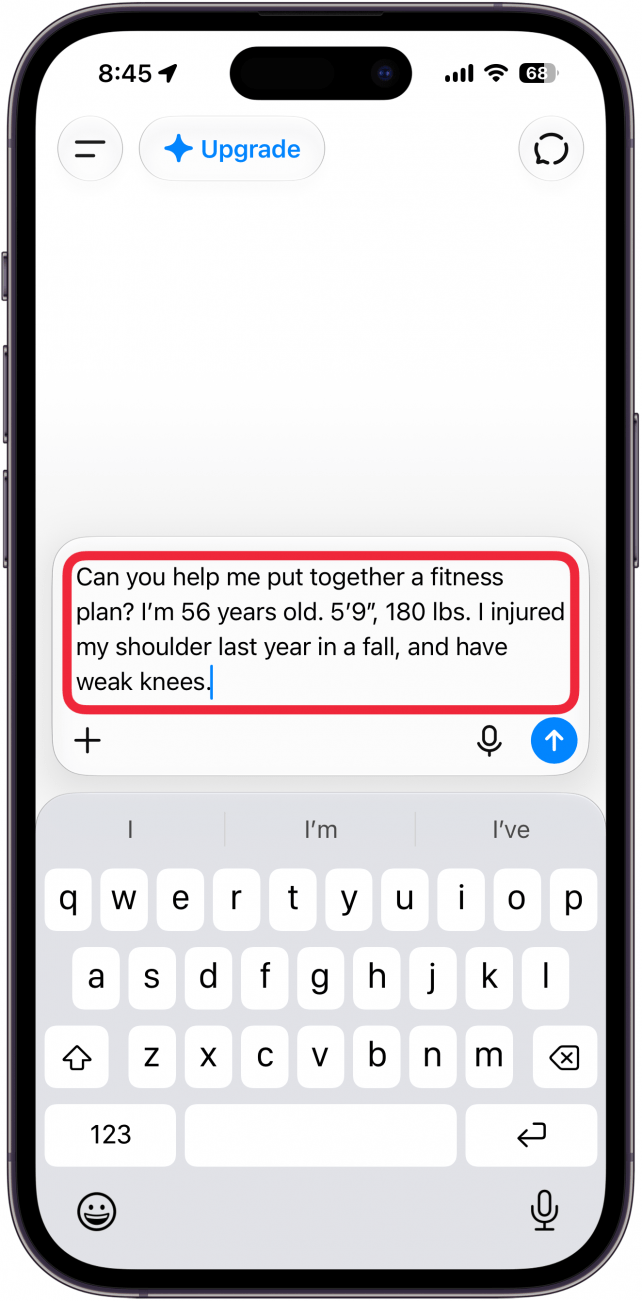
- For demonstration purposes, I'll use ChatGPT. You'll need to start by telling your preferred AI assistant a little about yourself, like your age, height, weight, specific medical conditions, limitations, etc. Ordinarily, we recommend against telling AI personal details like health conditions, but there isn't much of a choice when creating a customized fitness plan.
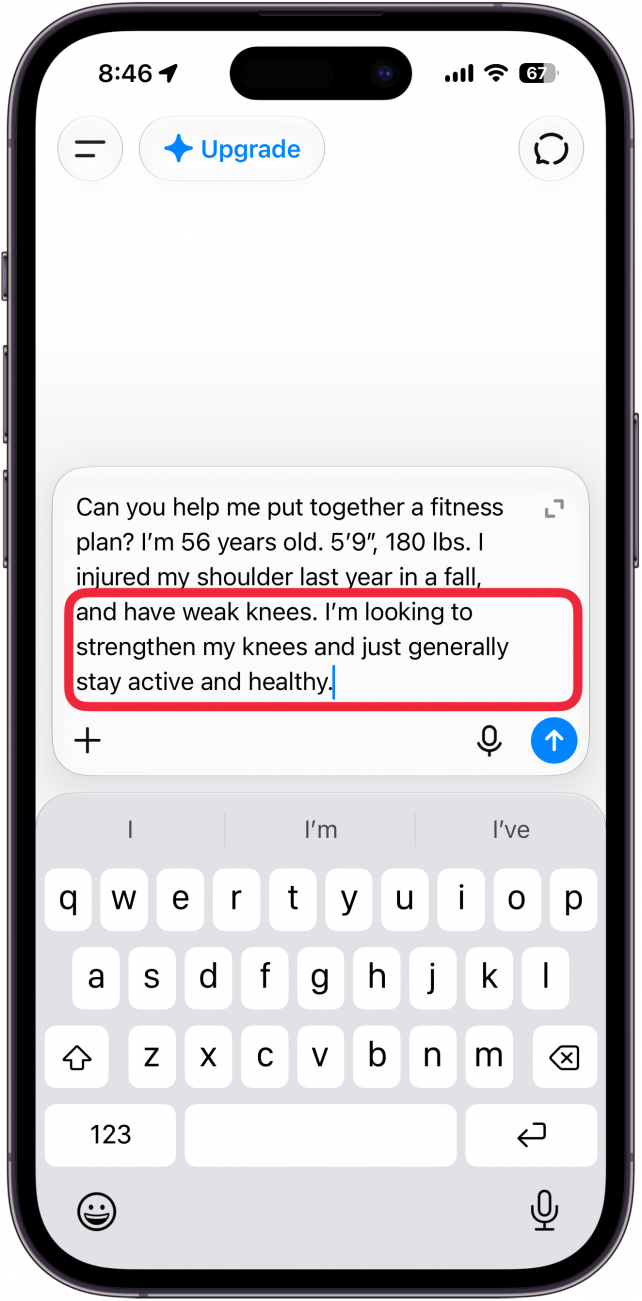
- You'll want to include your fitness goals in your prompt. Tell the AI whether you're looking to build muscle, lose weight, or just stay active. If you're training for a specific sport or event, you should include that information, too.
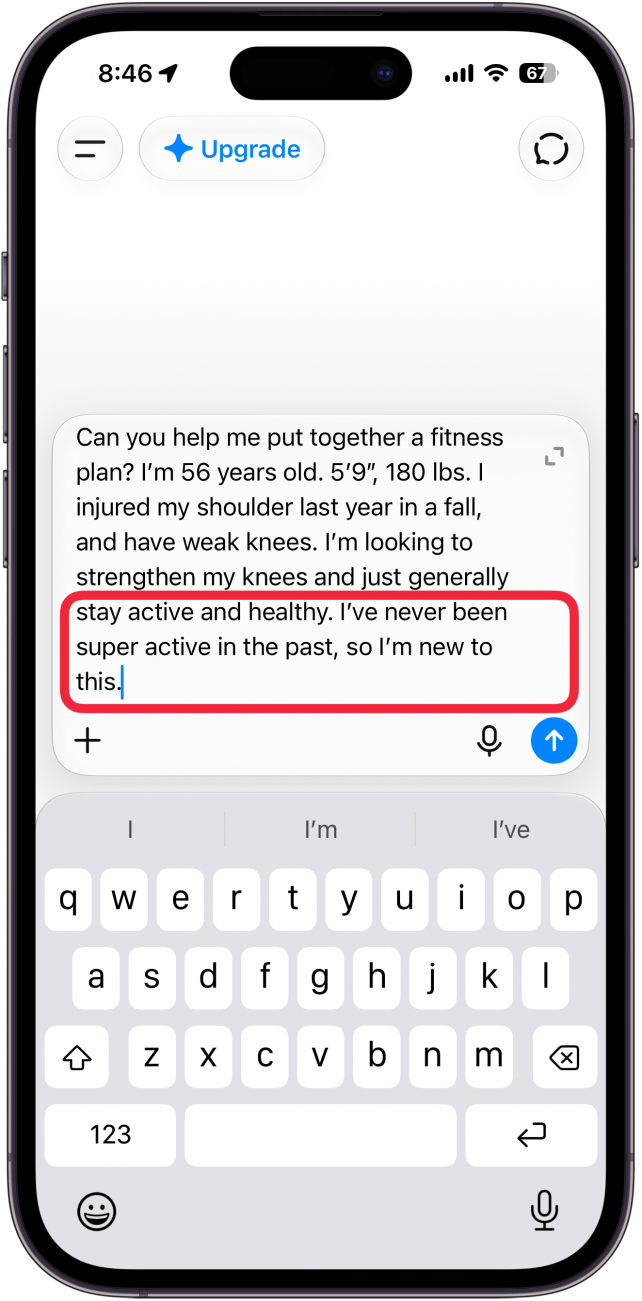
- You should also tell it your current fitness level, whether you're a beginner or an experienced gym rat.
- Include the equipment available to you, such as whether you have a gym membership or a home gym.
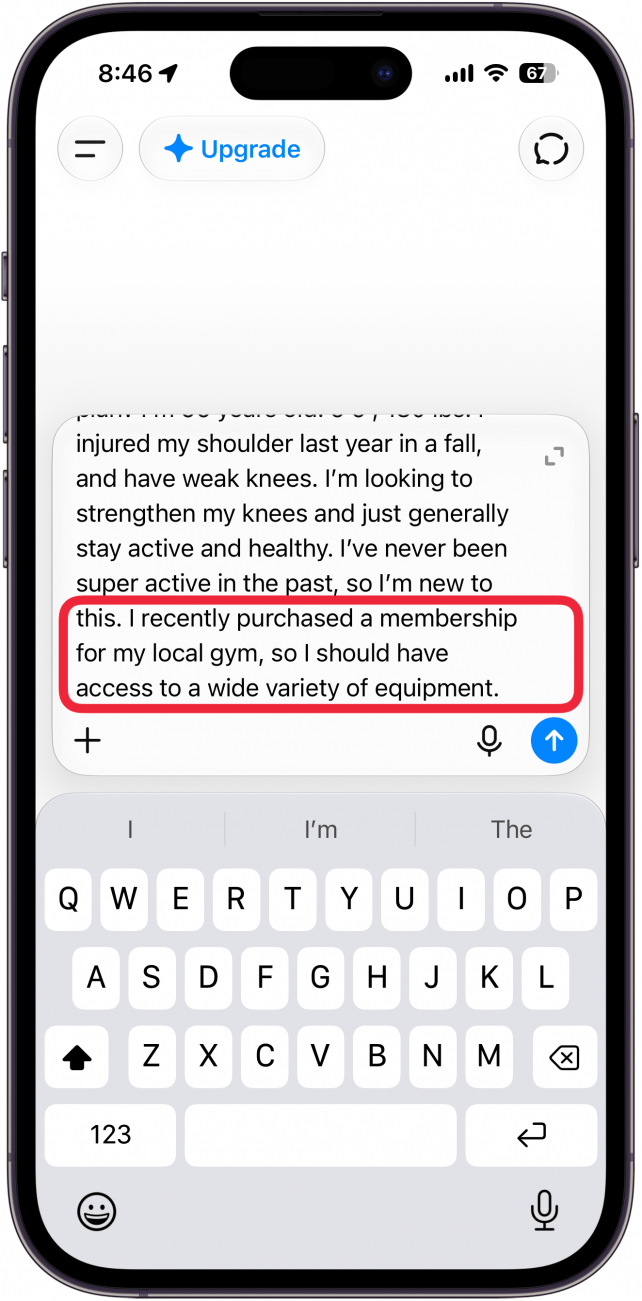
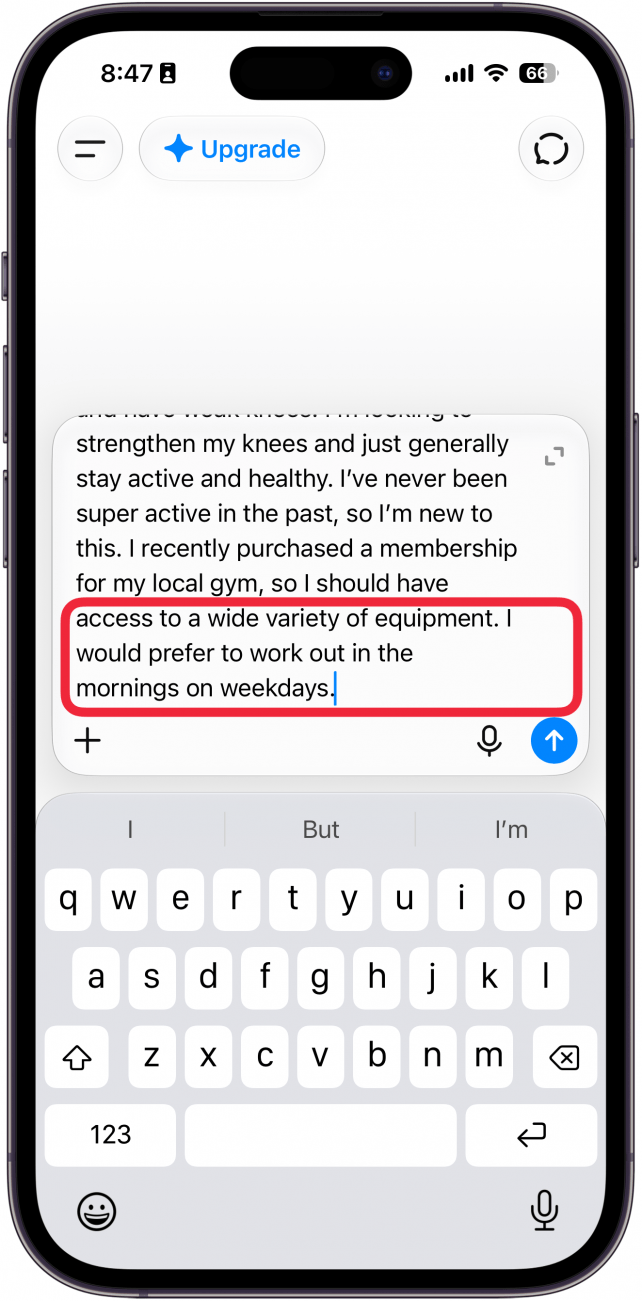
- Lastly, tell the AI what days and times you are available.
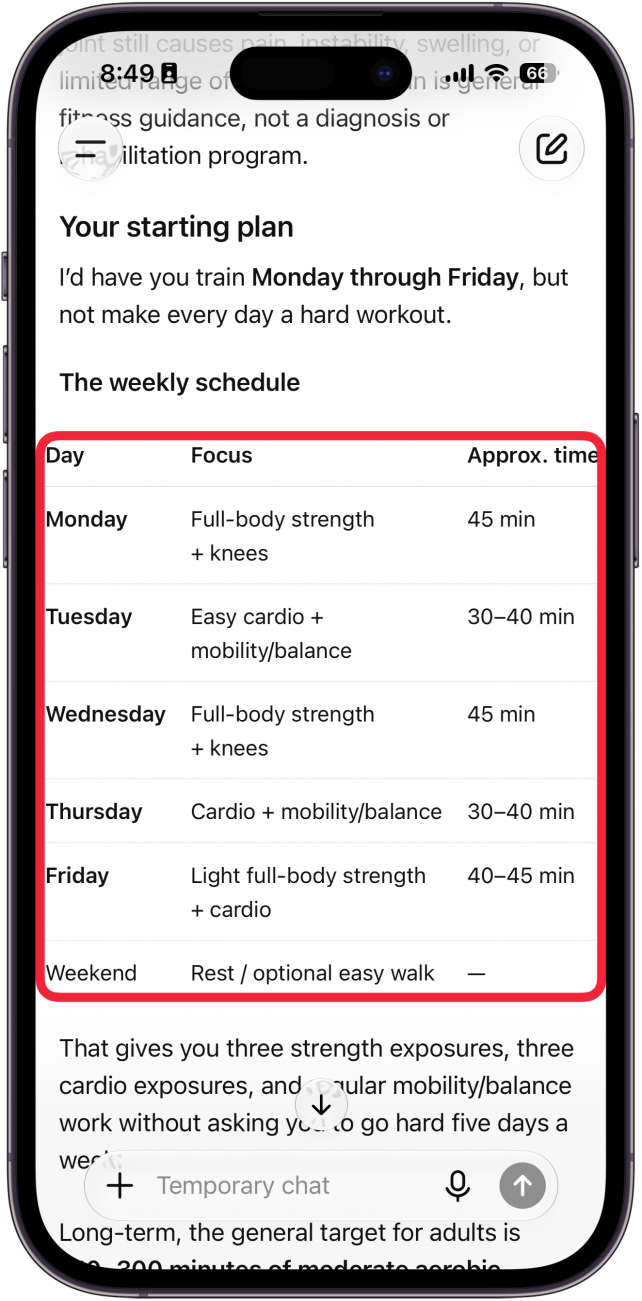
- Once you've entered your prompt, your AI assistant will display a workout schedule with a list of exercises for each day of the week you've specified.
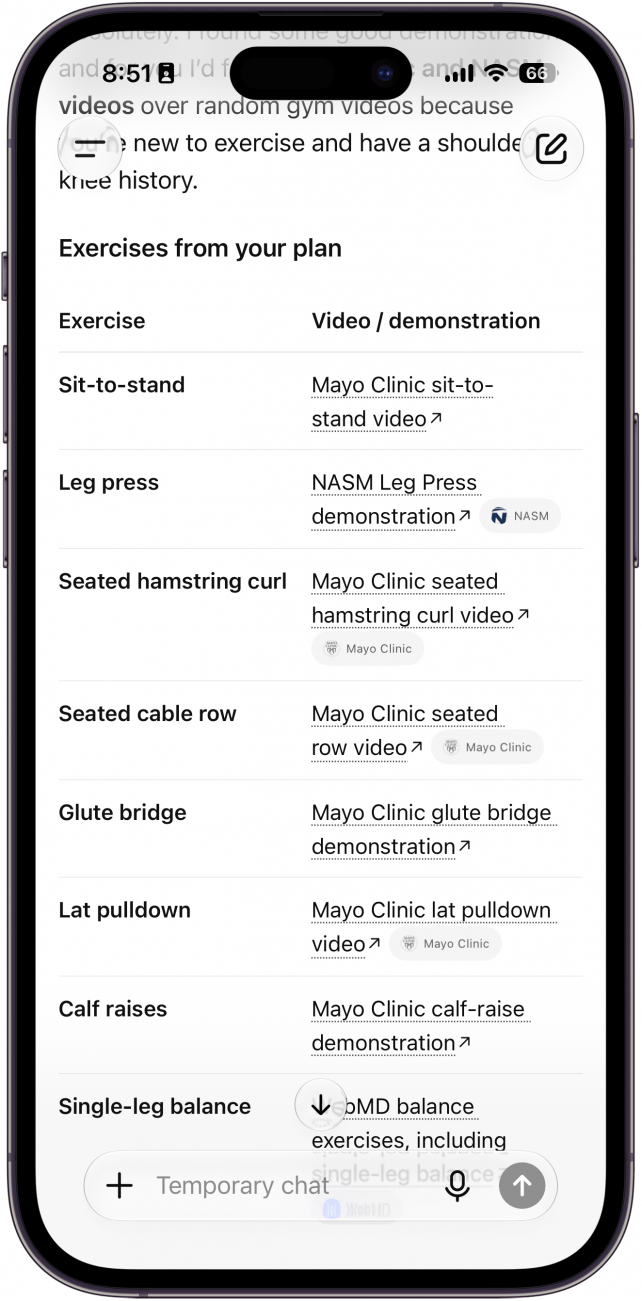
- You can follow up with further questions if needed. For example, I asked ChatGPT for links to videos of the suggested exercises, and it provided an organized table with links for every exercise. You can also tell it if you don't like any of the exercises it suggests and want to swap them out with alternatives.
That's how to use AI as a fitness trainer. Again, AI can make mistakes, so you should check with your doctor before trying any exercises suggested by an AI.
Here's an example of a prompt I gave to ChatGPT based on these steps: "Can you help me put together a fitness plan? I’m 56 years old. 5’9”, 180 lbs. I injured my shoulder last year in a fall, and have weak knees. I’m looking to strengthen my knees and just generally stay active and healthy. I’ve never been super active in the past, so I’m new to this. I recently purchased a membership for my local gym, so I should have access to a wide variety of equipment. I would prefer to work out in the mornings on weekdays."
Feel free to use this prompt and edit it to add your own age, height, weight, and fitness goals.
Once you get started with an AI fitness plan, you can check in with your "trainer" as often or as rarely as you like, and it can update your program when you start getting stronger and able to do more!
More On: Artificial Intelligence
Top image credit: Chingraph / Shutterstock.com

Every day, we send useful tips with screenshots and step-by-step instructions to over 600,000 subscribers for free. You'll be surprised what your Apple devices can really do.

Rhett Intriago
Rhett Intriago is a Feature Writer at iPhone Life, offering his expertise in all things iPhone, Apple Watch, and AirPods. He enjoys writing on topics related to maintaining privacy in a digital world, as well as iPhone security. He’s been a tech enthusiast all his life, with experiences ranging from jailbreaking his iPhone to building his own gaming PC.
Despite his disdain for the beach, Rhett is based in Florida. In his free time, he enjoys playing the latest games, spoiling his cats, or discovering new places with his wife, Kyla.
 Rhett Intriago
 Leanne Hays


 Olena Kagui
 Rachel Needell
 Amy Spitzfaden Both

 Susan Misuraca