How to Find iPhone Settings—the Fastest Way!

Conner is a feature writer and contributor to iPhone Life, as well as an author, poet, and content creator.
Learn More Conner is a feature writer and contributor to iPhone Life, as well as an author, poet, and content creator.
Learn MoreThere are a lot of different iPhone settings. Luckily, you can use Spotlight Search on iPhone to search for any iPhone setting, or for an iPhone app search. Here's how to search for apps on iPhone, and how to find settings on iPhone if you aren't sure exactly where to find them.
Why You'll Love This Tip
- Easily locate settings options without having to scroll through the whole iPhone Settings menu.
- Quickly find settings and preferences you're unfamiliar with instead of clicking hopelessly.
Here’s How to Find Settings on iPhone & How to Search for Apps on iPhone
System Requirements
This tip was performed on an iPhone 17 Pro running iOS 26.2. Find out how to update to the latest version of iOS.
This tip for searching the iPhone Settings menu is a great way to access settings you tend to change frequently. The iPhone Settings Search bar is also the easy way to locate settings when you're unsure where they are located.
For instance, I wanted to set my phone to Dark mode permanently, but I wasn't sure if that was located under Display, Focus, or Accessibility. Using the Settings search bar bypasses the need to know exactly where everything is. Here's how to find settings on iPhone, and how to search for apps on iPhone:
- Tap your iPhone Settings icon to open.

- If you want to search for a particular app's settings, tap the Search bar at the bottom of the screen.

- Type in the name of an app, and tap the app when it appears to access its settings.

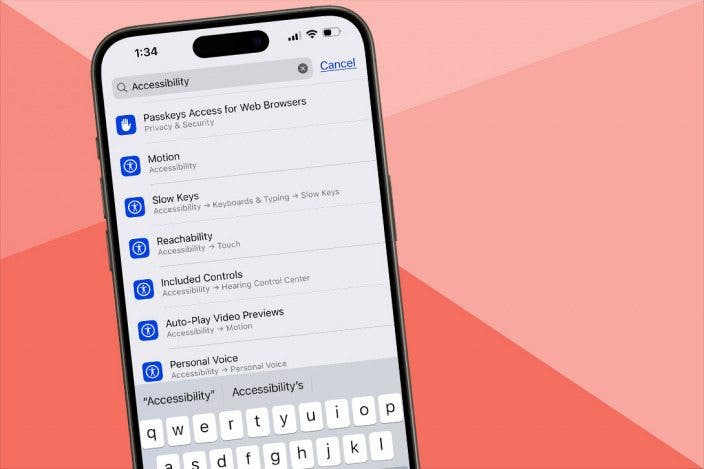
- If you want to search for a particular iPhone setting but are unsure where it's located, type the setting's name. In this case, I typed Accessibility, and all Accessibility settings appear underneath.
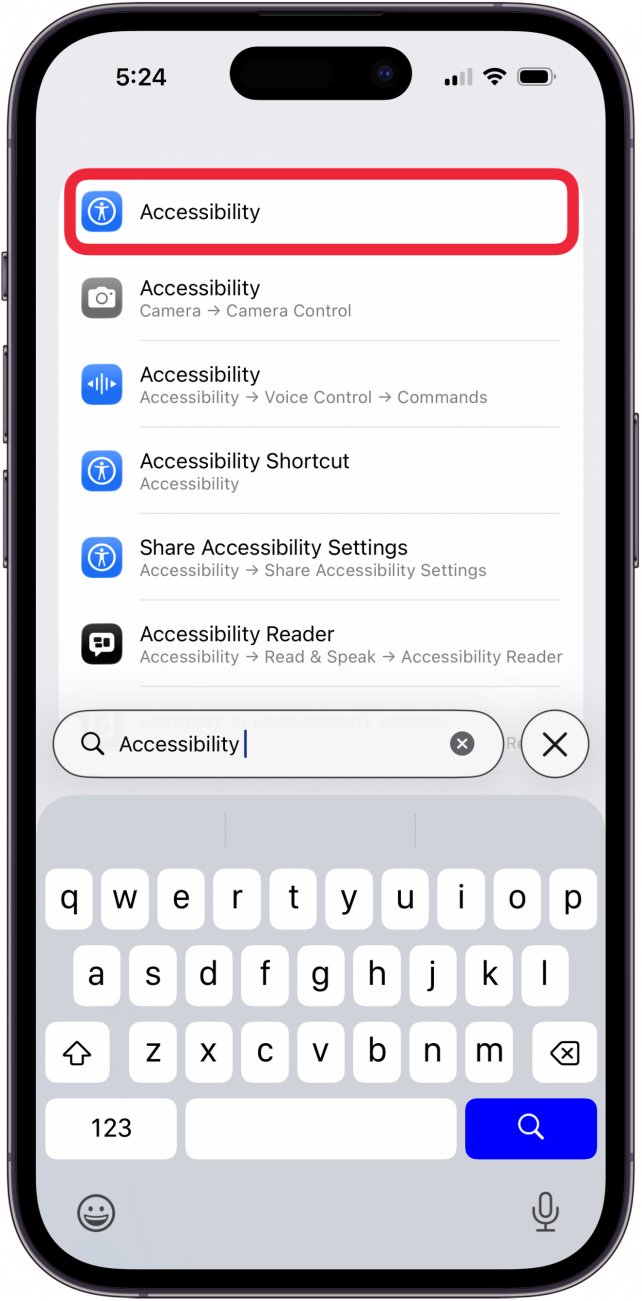
- Tap one of the Search results to go to the appropriate settings.

Isn't that so convenient? Now you know how to find the iPhone Settings Search bar and find that particular iPhone setting you've been looking for. Give it a try the next time you're looking for specific app settings, and more! Next, learn how to search your entire iPhone using Spotlight Search. If you like tips like this about using your iPhone, be sure to sign up for our free Tip of the Day!
More On: iPhone Settings & Searches

Every day, we send useful tips with screenshots and step-by-step instructions to over 600,000 subscribers for free. You'll be surprised what your Apple devices can really do.

Conner Carey
Conner Carey's writing can be found at conpoet.com. She is currently writing a book, creating lots of content, and writing poetry via @conpoet on Instagram. She lives in an RV full-time with her mom, Jan and dog, Jodi as they slow-travel around the country.

 Susan Misuraca
 Olena Kagui
 Leanne Hays
 Rachel Needell





 Amy Spitzfaden Both
 Hal Goldstein

 Rhett Intriago