How to Turn Off Attention Awareness iPhone Features

Hallei has a background in creative and professional writing, with a focus on clear communication and creative thinking.
Learn More Hallei has a background in creative and professional writing, with a focus on clear communication and creative thinking.
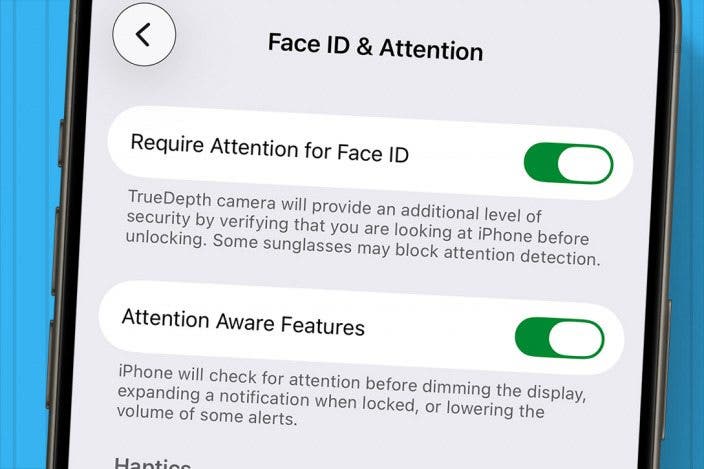
Learn MoreHave you ever noticed that your iPhone will sometimes ring and then the volume will drop? This is likely because of the Attention Aware setting, which uses the front camera to tell when you're looking at your phone. The good news is that if you're having trouble with this feature or don't like the idea of your camera monitoring your attention, you can easily disable it in the Settings app. Let's cover how to turn off Attention Awareness on your iPhone.
Why You'll Love This Tip
- Attention Awareness features detect if you're looking at your iPhone by using the front-facing camera.
- To turn off Attention Awareness, open the Settings app, tap Accessibility, tap Face ID & Attention, and toggle off Attention Awareness Features.
How to Turn Off Attention Aware Features on Your iPhone
System Requirements
This tip was tested on an iPhone 17 Pro running iOS 26.6 and works on iPhones running iOS 13 or later. Find out how to update to the latest version of iOS.
If your iPhone screen won't dim and the volume of your notifications is lower when you're using your iPhone, it's due to Attention Awareness features. Attention Awareness features use the front-facing camera to determine whether you're currently looking at your iPhone. This is a feature I actually find to be incredibly convenient, as a loud ringtone or text alert can be jarring and a bit unnecessary if you're already using your iPhone. However, if the feature isn't working as it is supposed to be or you don't like the volume automatically lowering, here's how to turn off your iPhone's Attention Aware Features.
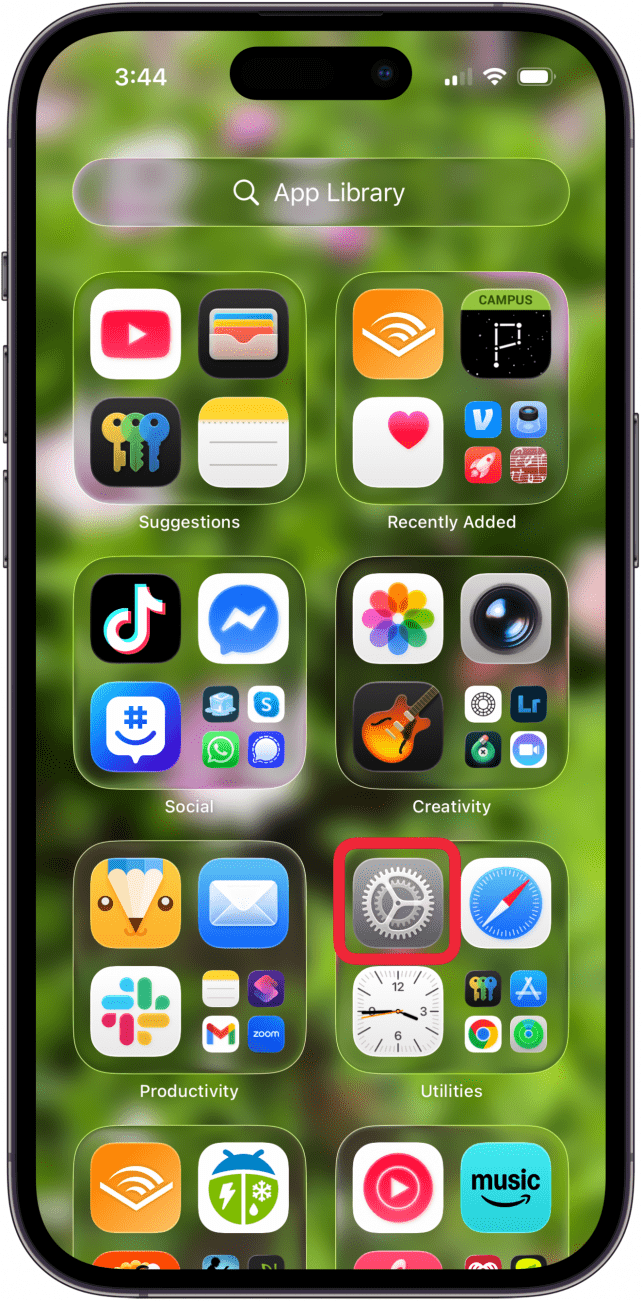
- Open the Settings app.
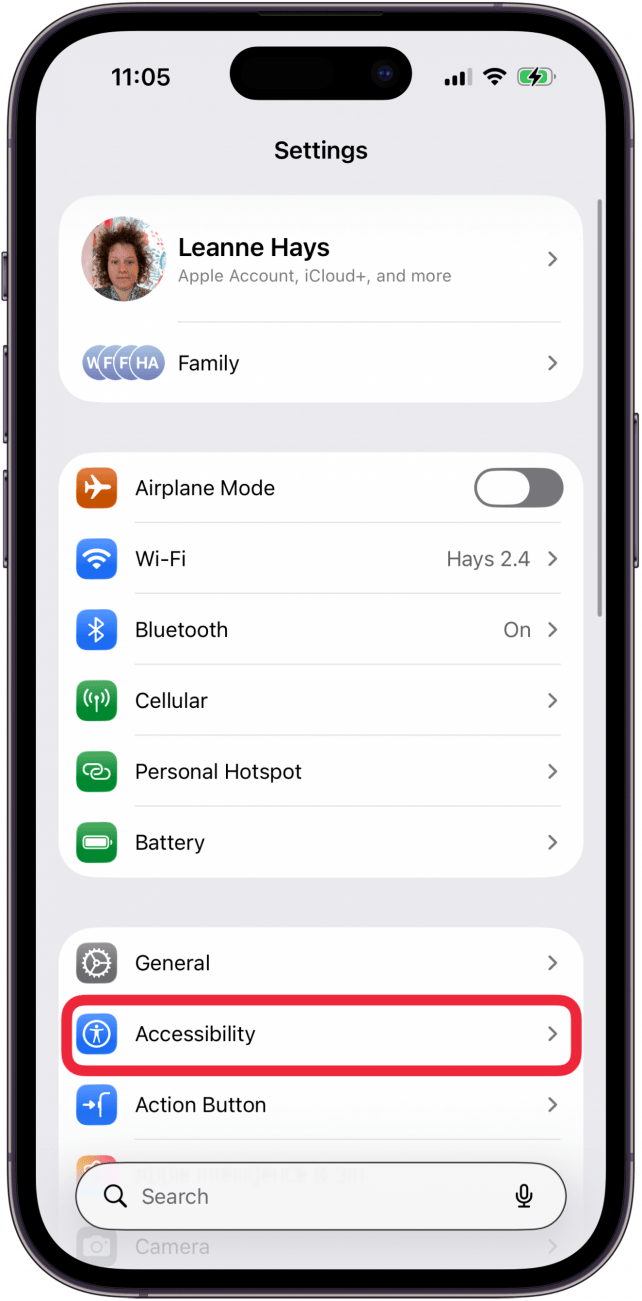
- Tap Accessibility.
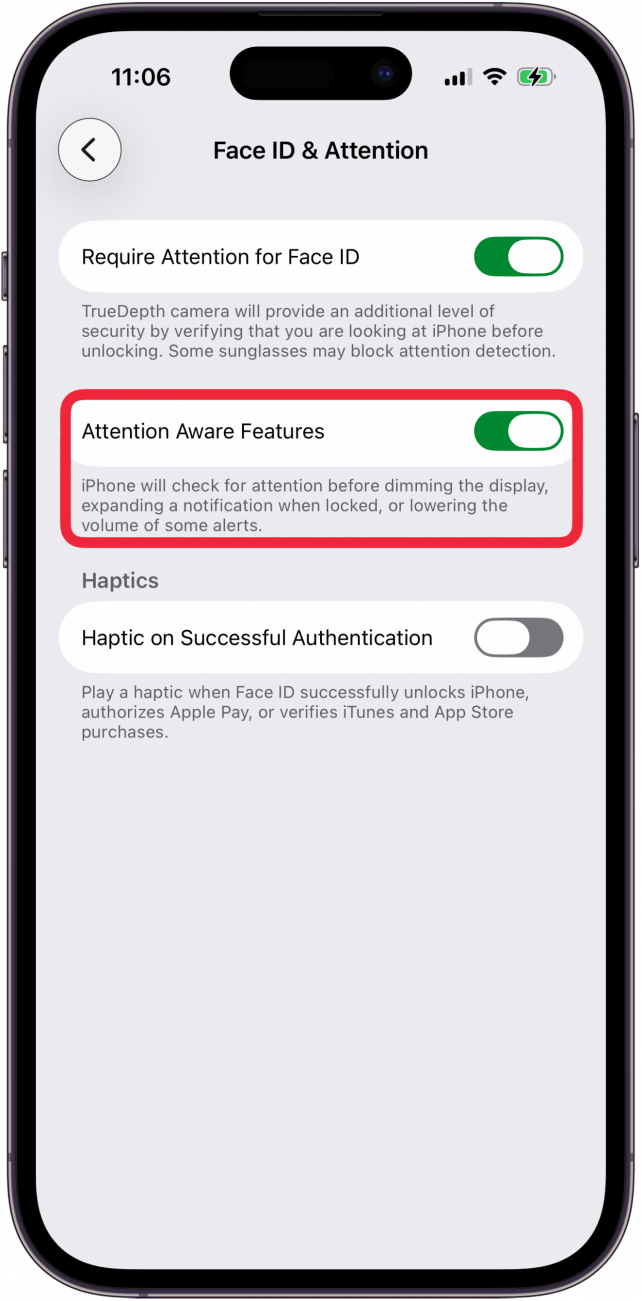
- Tap Face ID & Attention.

- If the toggle is green, tap to disable the Attention Aware Features toggle.
- Enter your passcode to confirm you want to turn off the feature.
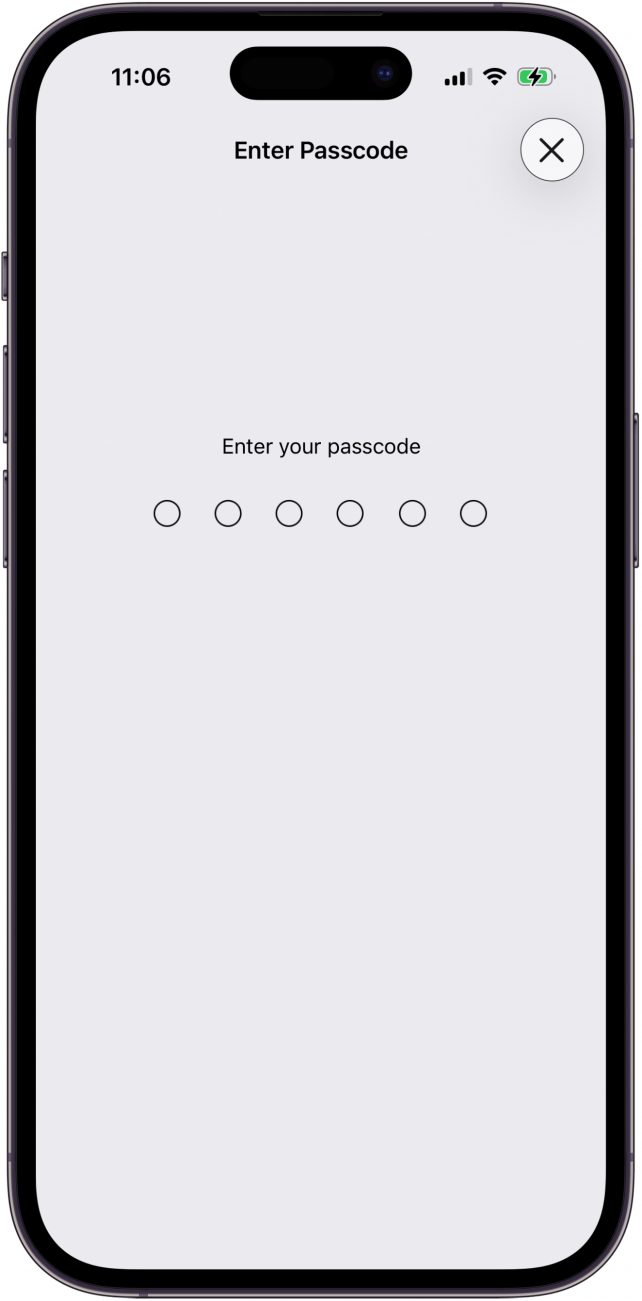
- If you want to re-enable the feature, tap the Attention Aware Features toggle and enter your passcode as before.
It's that simple! Once iPad or iPhone Attention Awareness is disabled, your screen will dim after a set time of inactivity, and your volume will remain at a consistent level regardless of whether you're currently looking at your phone.
To learn more about your iPhone's notification settings and features, consider signing up for our free Tip of the Day.

Every day, we send useful tips with screenshots and step-by-step instructions to over 600,000 subscribers for free. You'll be surprised what your Apple devices can really do.

Hallei Halter
Hallei is a 2018 graduate of Maharishi University of Management with a BFA in Creative & Professional Writing. She's currently working on a novel about people using witchcraft to clean their houses.

 Rhett Intriago
 Olena Kagui
 Leanne Hays
 Hal Goldstein



 Rachel Needell
 Amy Spitzfaden Both


 Donna Schill