How to Share Health Data with Your Doctor

With 10-plus years of experience with Apple devices, Rachel specializes in all things iPad and is a Notes app expert. Find her writing in the Daily Tip newsletter and iPhone Life magazine.
Learn More With 10-plus years of experience with Apple devices, Rachel specializes in all things iPad and is a Notes app expert. Find her writing in the Daily Tip newsletter and iPhone Life magazine.
Learn MoreThe iPhone, in tandem with other Apple devices like the Apple Watch, is amazing at collecting crucial health data throughout your daily life that would be otherwise impossible for a doctor's visit to track in one sitting. But what good is all this data if you can't share it with your healthcare providers? If you have a tech-savvy doctor, you may be able to share the data you collect about your health.
Why You'll Love This Tip
- Share the data you've collected about your health with a healthcare professional.
- Track information regarding your health and get that information to the people who need it most.
- Your Health app may be tracking relevant information that would be difficult for you to report to your doctor independently, like your heart rate or sleep cycles.
How to Share Data from the Health App with a Doctor on iPhone
System Requirements
This tip was performed on an iPhone 17 Pro running iOS 26.5, and it works on iPhones running iOS 16 and later. Find out how to update to the latest version of iOS.
Although not all doctors allow for sharing health data via the iPhone at this time, this technology is quickly spreading because it is so convenient for tracking a person's physical health. Some doctors allow you to share the data you've collected on your own health via the iPhone and Apple Watch. Learn how! Here's how to export Apple health data:
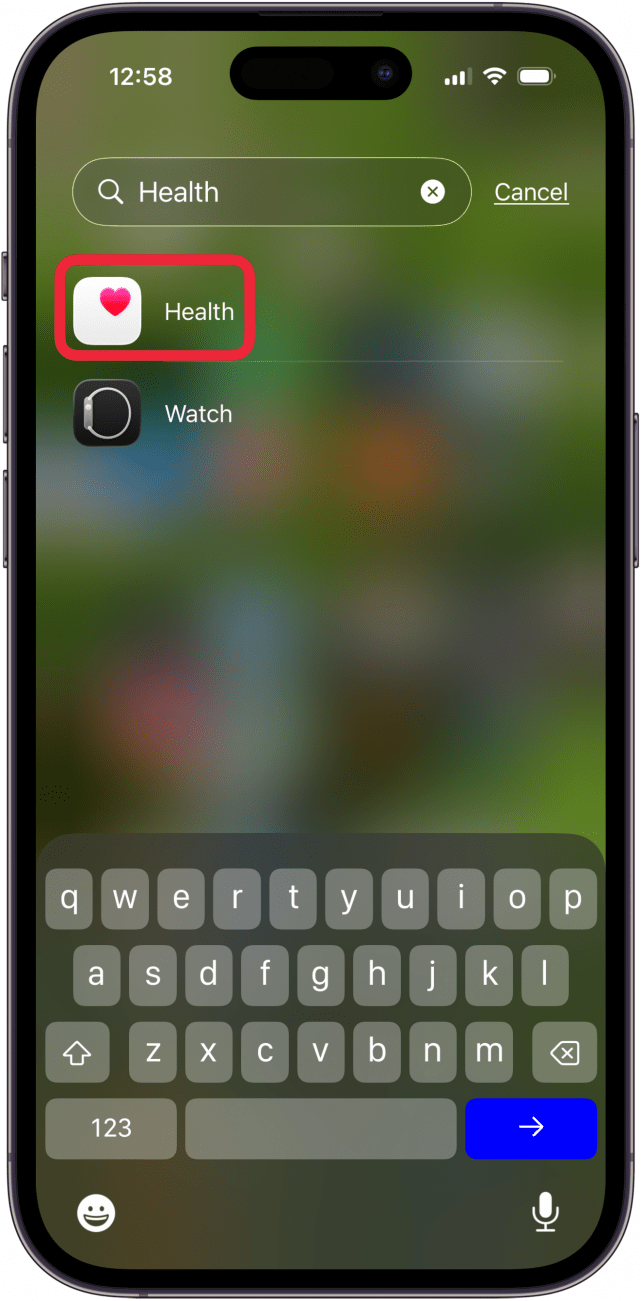
- Open the Health app.
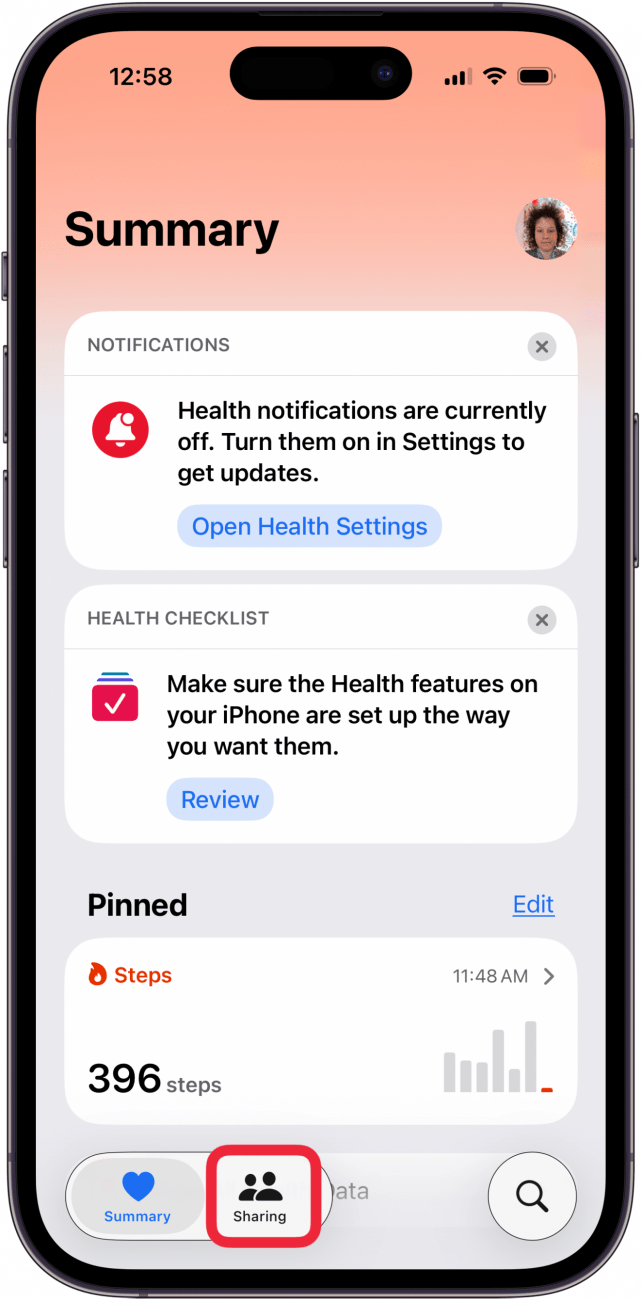
- Tap Sharing.
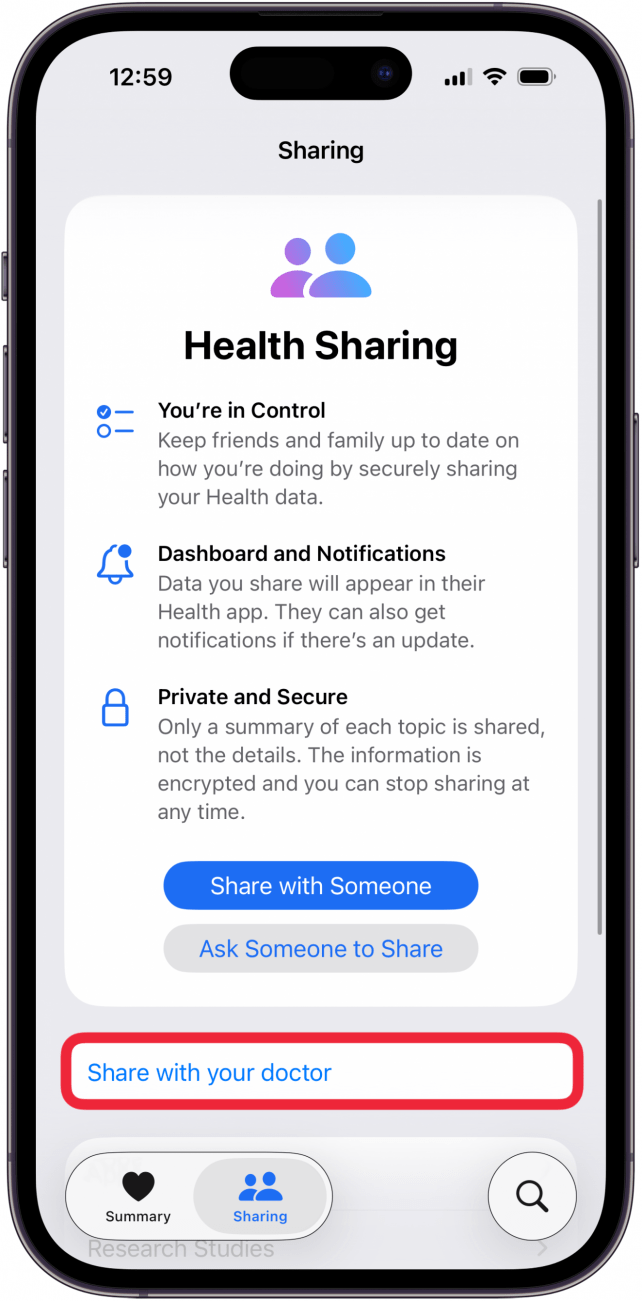
- Tap Share with your Doctor.
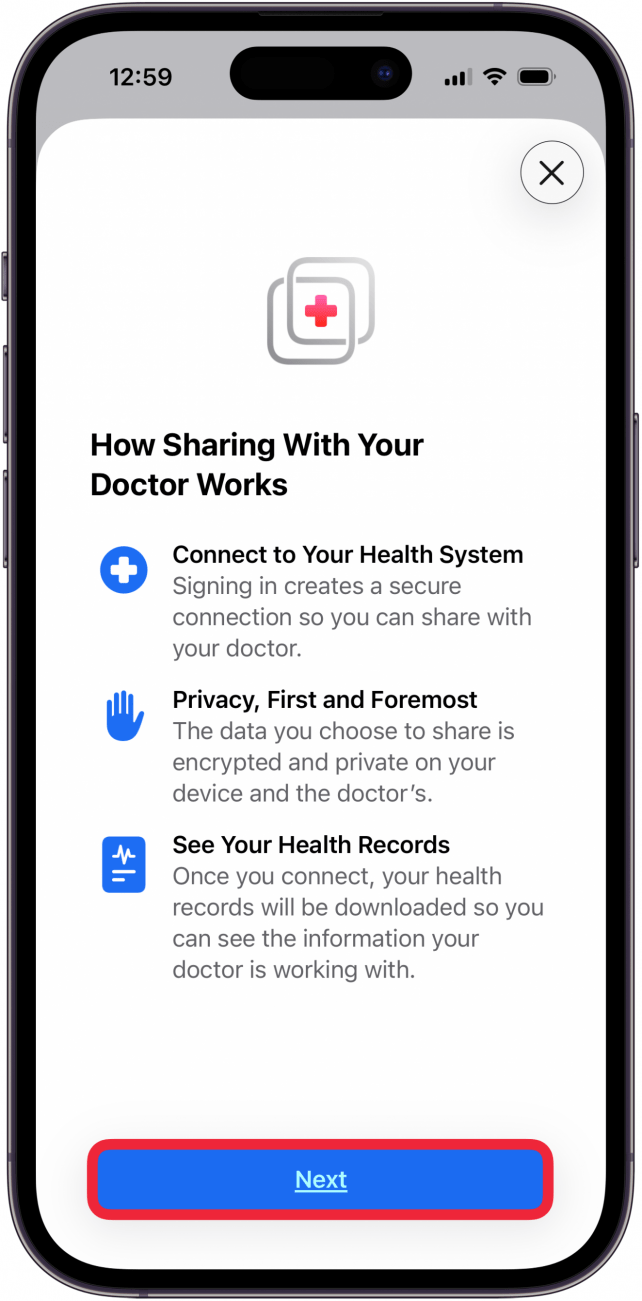
- Tap Next.
- You may need to allow the Health app to use your location.
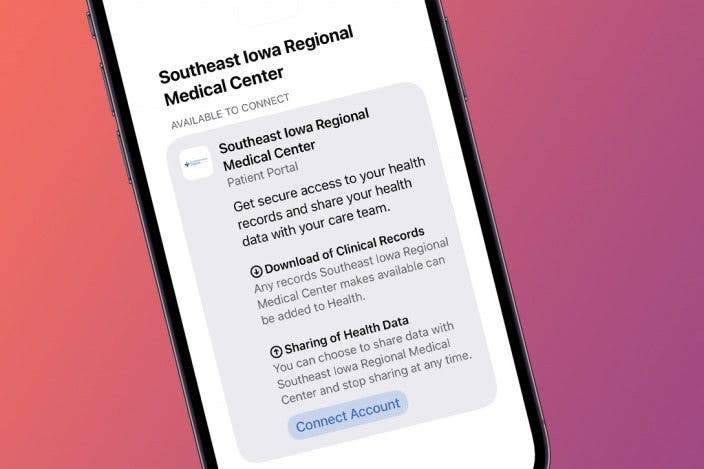
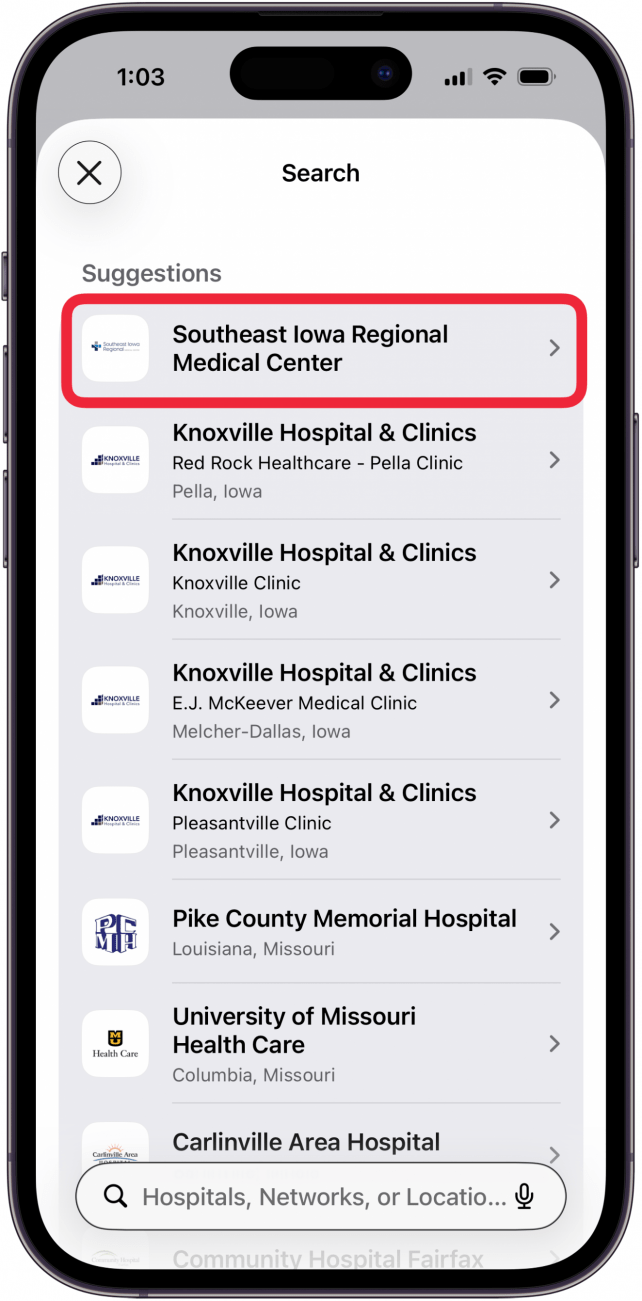
- Select the hospital, clinic, doctor, or doctor's office you'd like to share your health data with. Do note that not all doctors' offices or hospitals have this feature enabled, so you may not find yours listed.
- Tap Connect Account.
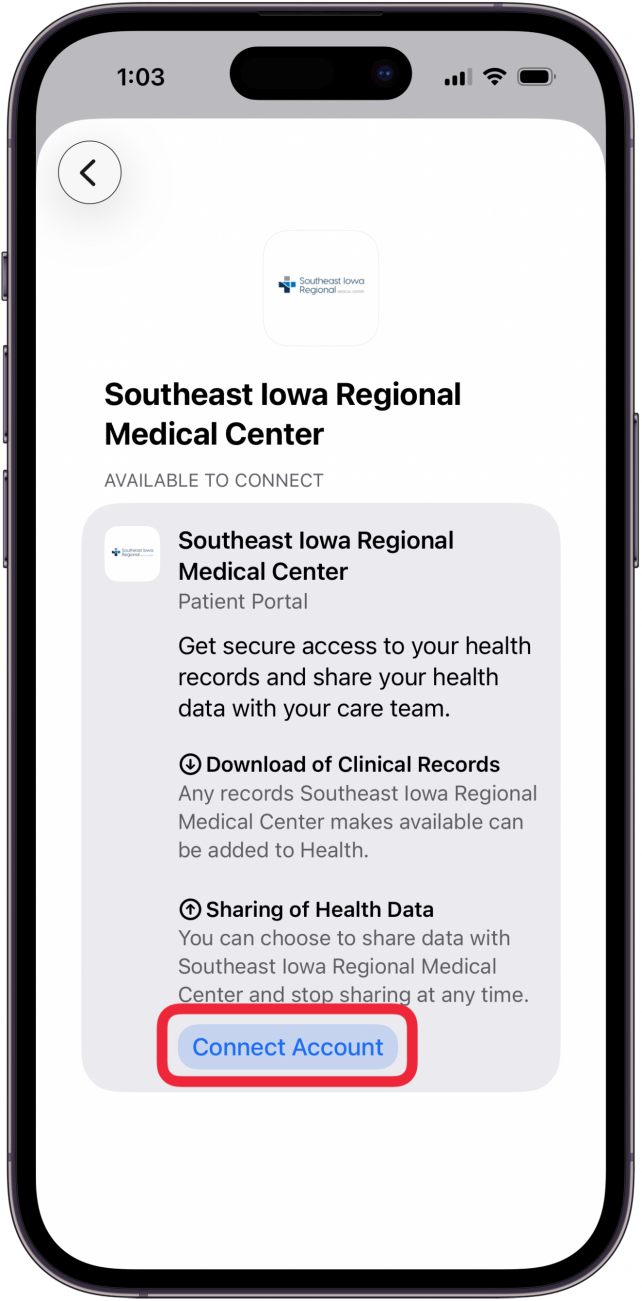
- You will then be taken to your doctor's office website, where you will be required to sign in to your pre-existing account and follow the instructions on the site.
Now you know how to use the health data sharing feature on your iPhone. Your device will share any health data it has with your doctor's office, and your doctor's office will use its own medical record-keeping system to analyze your data. You can stop sharing your data by disconnecting your account at any time. You can also make your medical records available for you to view in the Health app.
For more tips about the Health app, be sure to sign up for our free Tip of the Day!
More On: iPad & iPhone Health App

Every day, we send useful tips with screenshots and step-by-step instructions to over 600,000 subscribers for free. You'll be surprised what your Apple devices can really do.

Rachel Needell
Related Articles
Apple Announces New M3 Chips in MacBook Pros & iMac
 Amy Spitzfaden Both
 Rhett Intriago
 Rachel Needell
How to Pick the Best iPhone Case with Card Holder/Wallet
 Olena Kagui
Apple Announces Major New Features in Tim Cook's Final WWDC

Apple Releases iPhone 16e, MacBook Air & iPad Air + When Will We Finally See the New AI Siri?
 Susan Misuraca
Easily Fix Apple Watch Alarm Not Syncing with iPhone

 Leanne Hays