Summarize YouTube Videos in Seconds

A lifelong tech enthusiast, with experiences ranging from jailbreaking his iPhone to building his own gaming PC, Rhett specializes in maintaining privacy in a digital world and iPhone security.
Learn More A lifelong tech enthusiast, with experiences ranging from jailbreaking his iPhone to building his own gaming PC, Rhett specializes in maintaining privacy in a digital world and iPhone security.
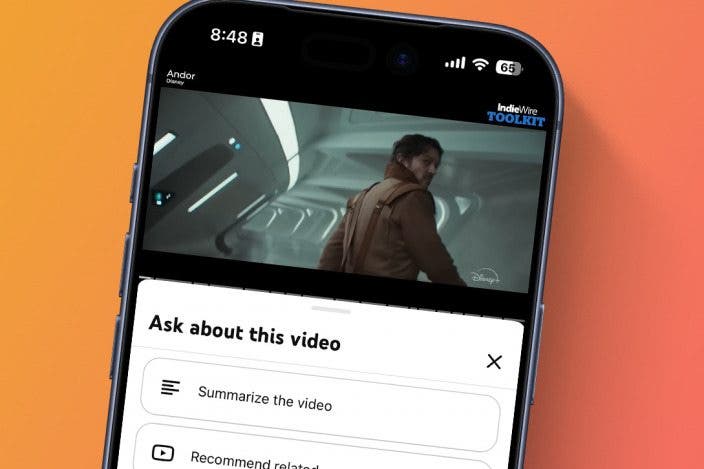
Learn MoreTired of scrubbing through lengthy YouTube videos when the answer you're looking for is one timestamp away? Have you ever wished you could get the CliffsNotes version of a video? AI can help. Let's go over how to summarize a YouTube video with AI.
Why You'll Love This Tip
- Catch the most important points of longer videos.
- Read what a video is about if you're in an environment where you can't play the audio aloud.
How to Summarize a YouTube Video
System Requirements
This tip was performed on an iPhone 15 Pro running iOS 27. Also included are steps for users running iOS 26. Find out how to update to the latest version of iOS.
YouTube videos can take a long time to watch, and oftentimes, the information you're searching for is buried deep in the video. That means you either have to watch the whole thing or scrub through the video to find what you're looking for. Alternatively, if you're out and about and unable to play the video aloud, it might be easier to just read a summary. AI can help summarize YouTube videos in seconds. For more useful ways to use AI in your daily life, be sure to sign up for our free Tip of the Day newsletter. Now, here's how to summarize YouTube videos with AI:
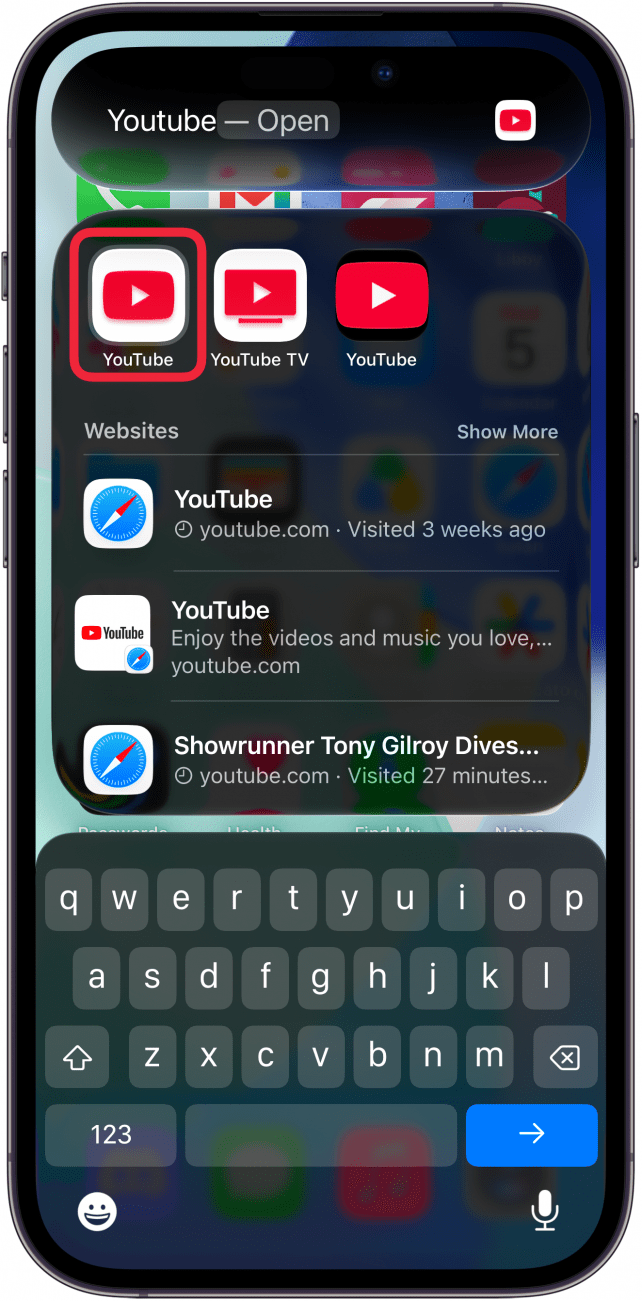
- Start by opening the YouTube app and finding the video you want to summarize.
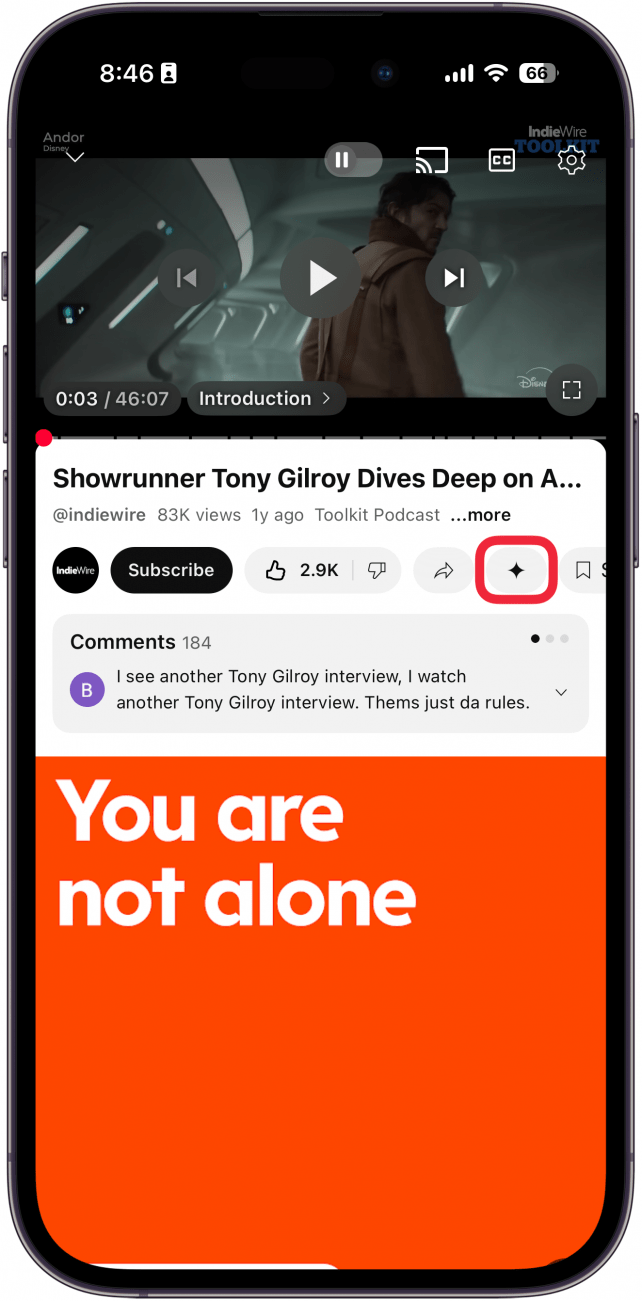
- With the video open, tap the Gemini icon.
- Select Summarize the video.
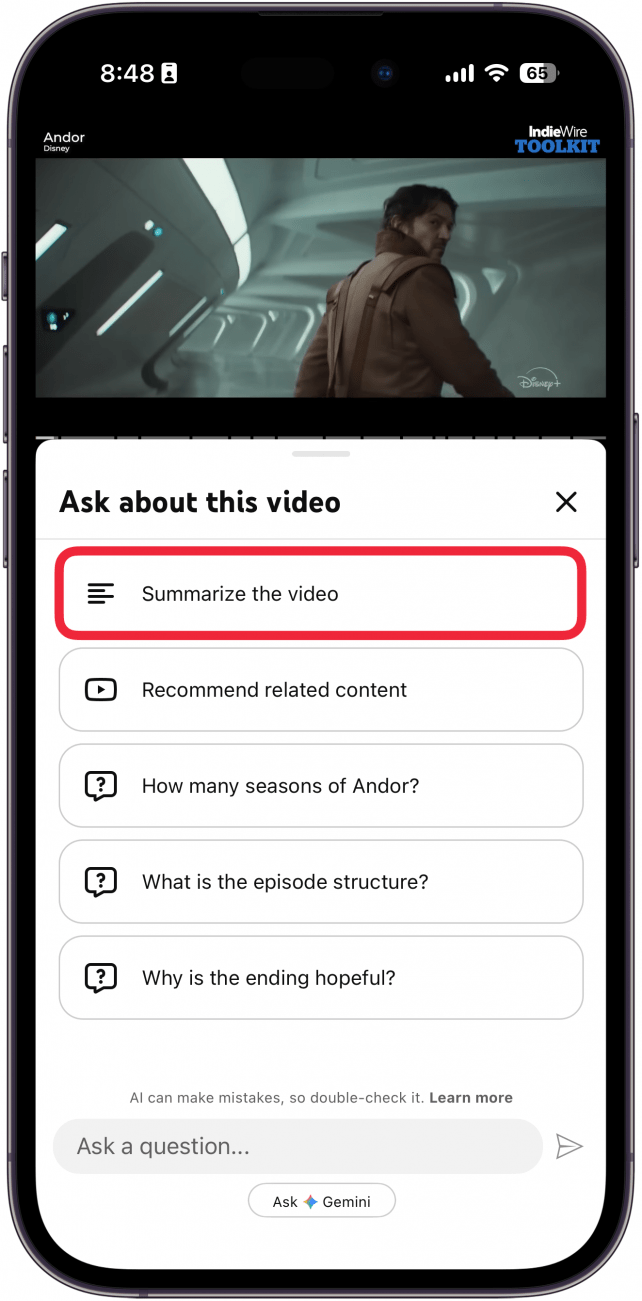
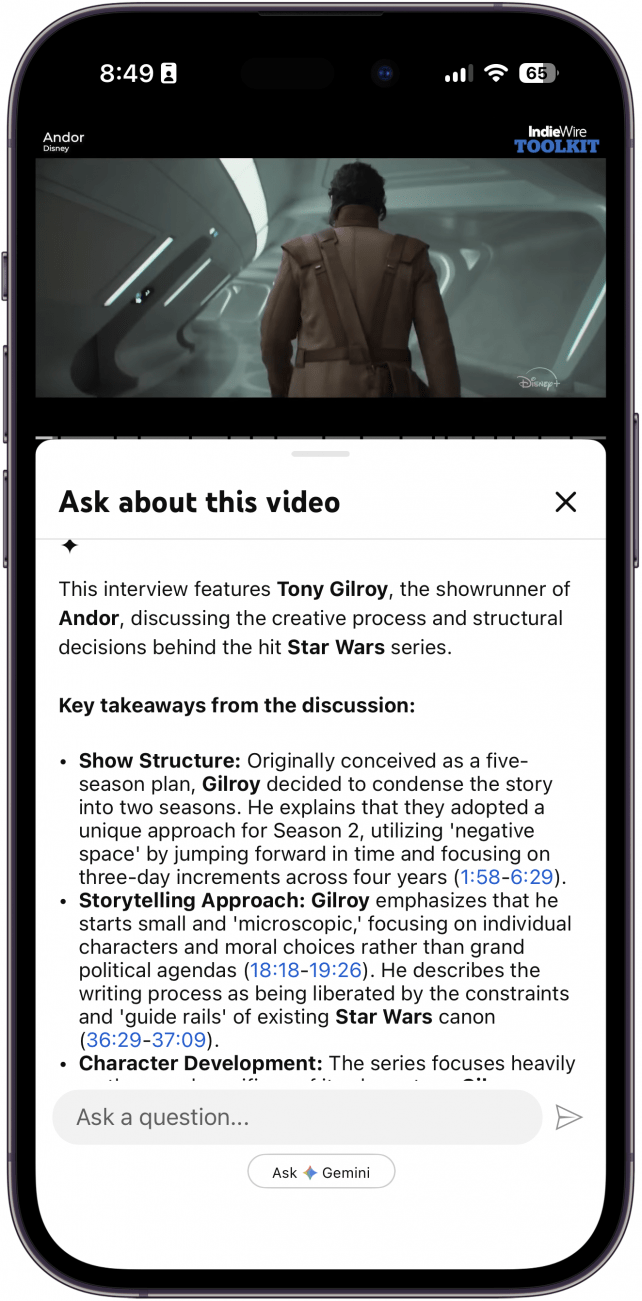
- Scroll down to find the video summary.
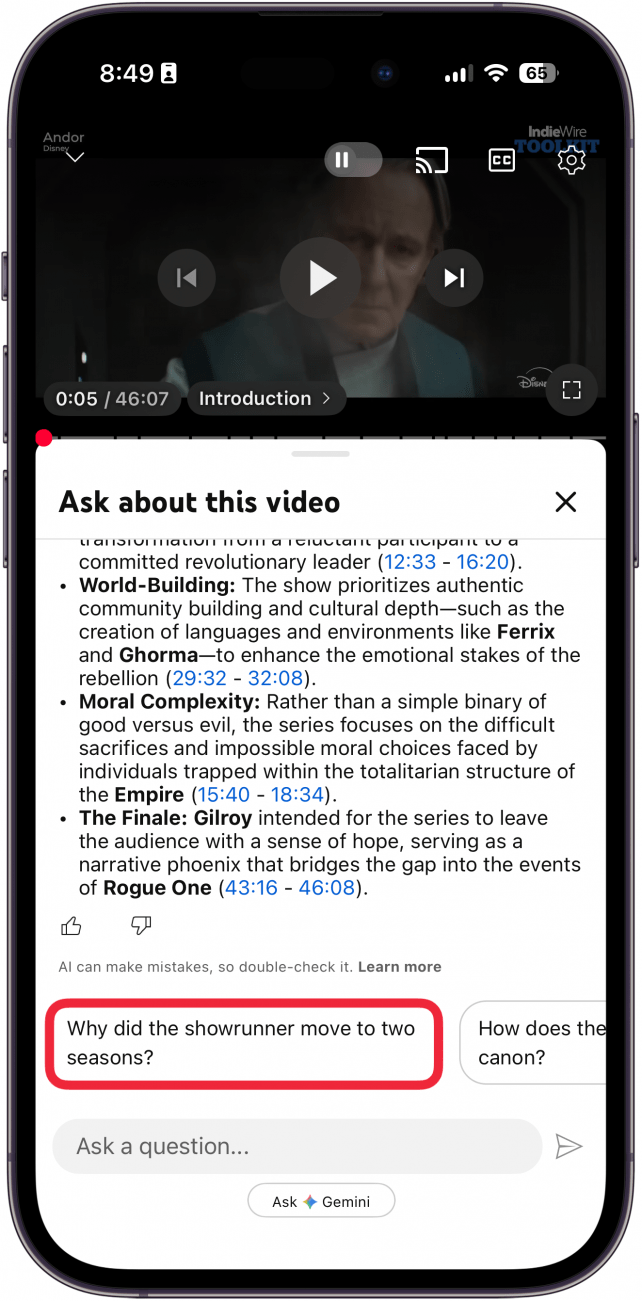
- At the bottom of the summary, Gemini may suggest other questions to ask.
That's how to summarize YouTube videos using AI. Now, if you come across a YouTube video that's a bit too long, you can just get the essential bullet points.
More On: Artificial Intelligence

Every day, we send useful tips with screenshots and step-by-step instructions to over 600,000 subscribers for free. You'll be surprised what your Apple devices can really do.

Rhett Intriago
Rhett Intriago is a Feature Writer at iPhone Life, offering his expertise in all things iPhone, Apple Watch, and AirPods. He enjoys writing on topics related to maintaining privacy in a digital world, as well as iPhone security. He’s been a tech enthusiast all his life, with experiences ranging from jailbreaking his iPhone to building his own gaming PC.
Despite his disdain for the beach, Rhett is based in Florida. In his free time, he enjoys playing the latest games, spoiling his cats, or discovering new places with his wife, Kyla.
Related topics
Related Articles

 Olena Kagui
 Rhett Intriago
 Amy Spitzfaden Both
 Rachel Needell
 Leanne Hays
What Is a Rapid Security Response? Everything You Need to Know



How to Check Your iPhone Battery Level on Your Apple Watch