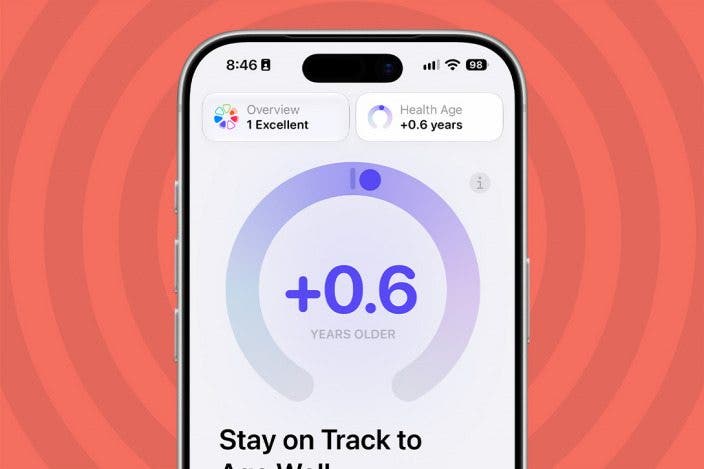
How to See Health Age in Apple Health

A lifelong tech enthusiast, with experiences ranging from jailbreaking his iPhone to building his own gaming PC, Rhett specializes in maintaining privacy in a digital world and iPhone security.
Learn More A lifelong tech enthusiast, with experiences ranging from jailbreaking his iPhone to building his own gaming PC, Rhett specializes in maintaining privacy in a digital world and iPhone security.
Learn MoreDid you know your iPhone can estimate your Health Age? Your Health Age might differ from your actual age depending on factors like the amount of exercise you get or your sleep. Find out how to see your Health Age below!
Why You’ll Love This Tip
- See an overview of your overall health based on your Health app.
- Build healthier habits to improve your Health Age.
Find Out Your Health Age on iPhone
System Requirements
This tip was performed on an iPhone 15 Pro running iOS 27.2 and requires an Apple Watch 9 or newer running watchOS 27.2 or later. Find out how to update to the latest version of iOS and watchOS.
After updating your iPhone to iOS 27.2, you'll have access to a new feature in the Health app called Health Age. For more on the latest updates to your iPhone, be sure to sign up for our free Tip of the Day newsletter. Now, here's how to see your Health Age on iPhone:
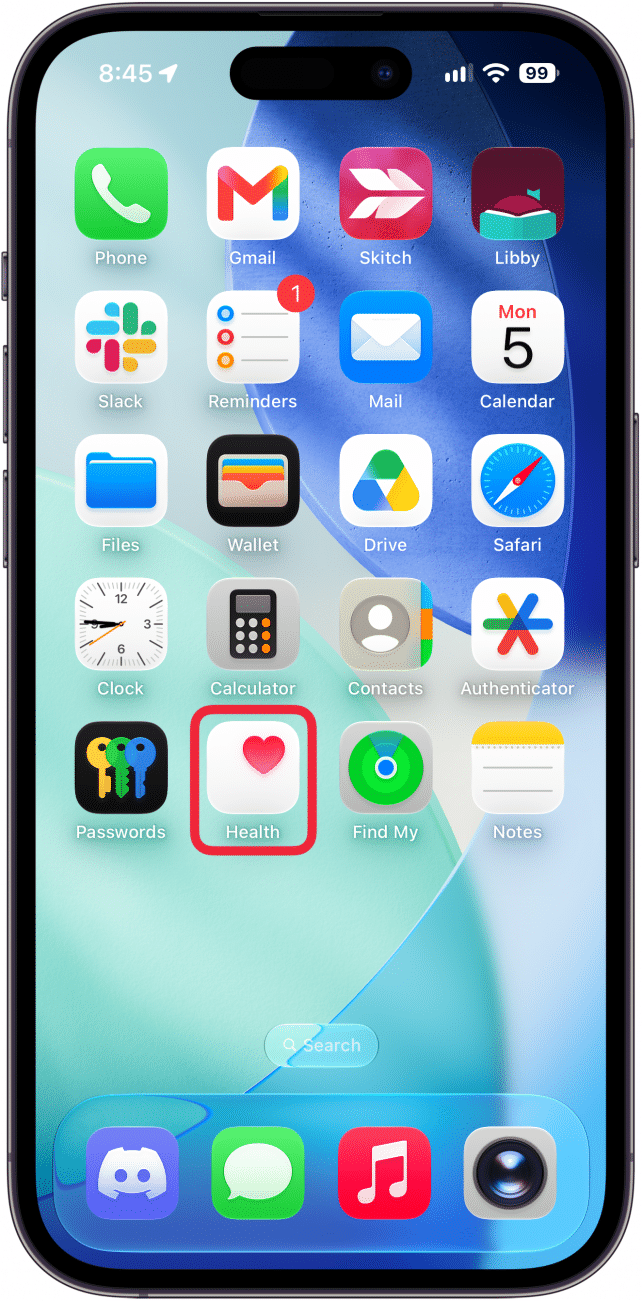
- Open the Health app.
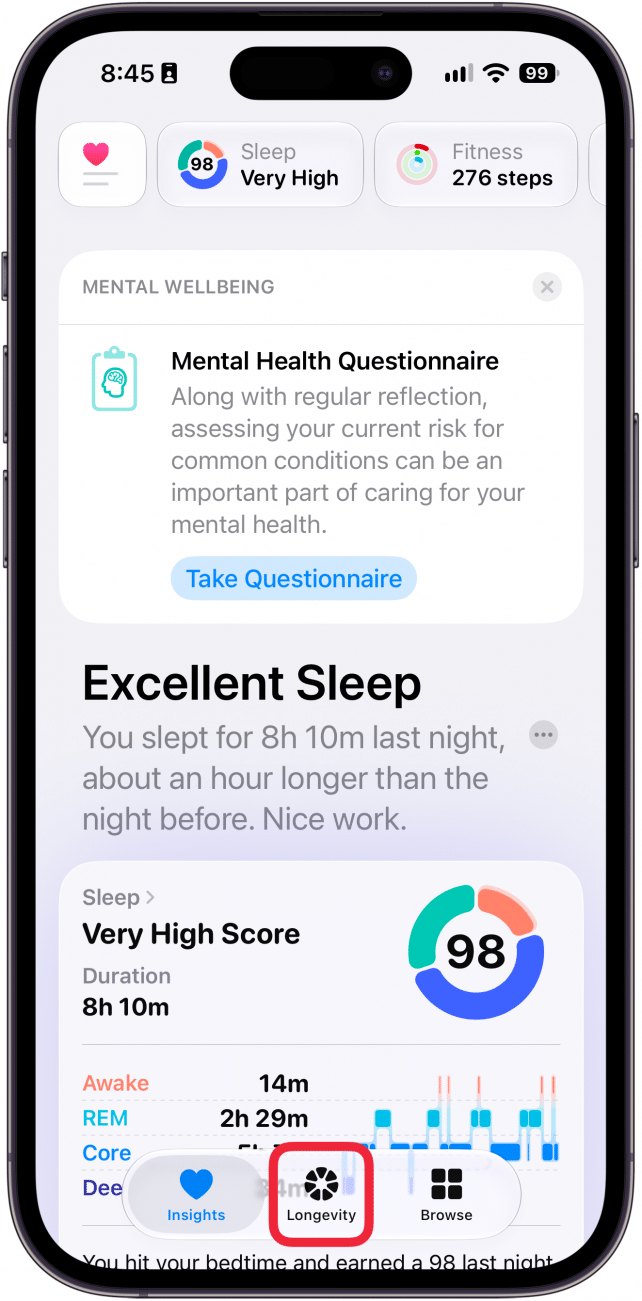
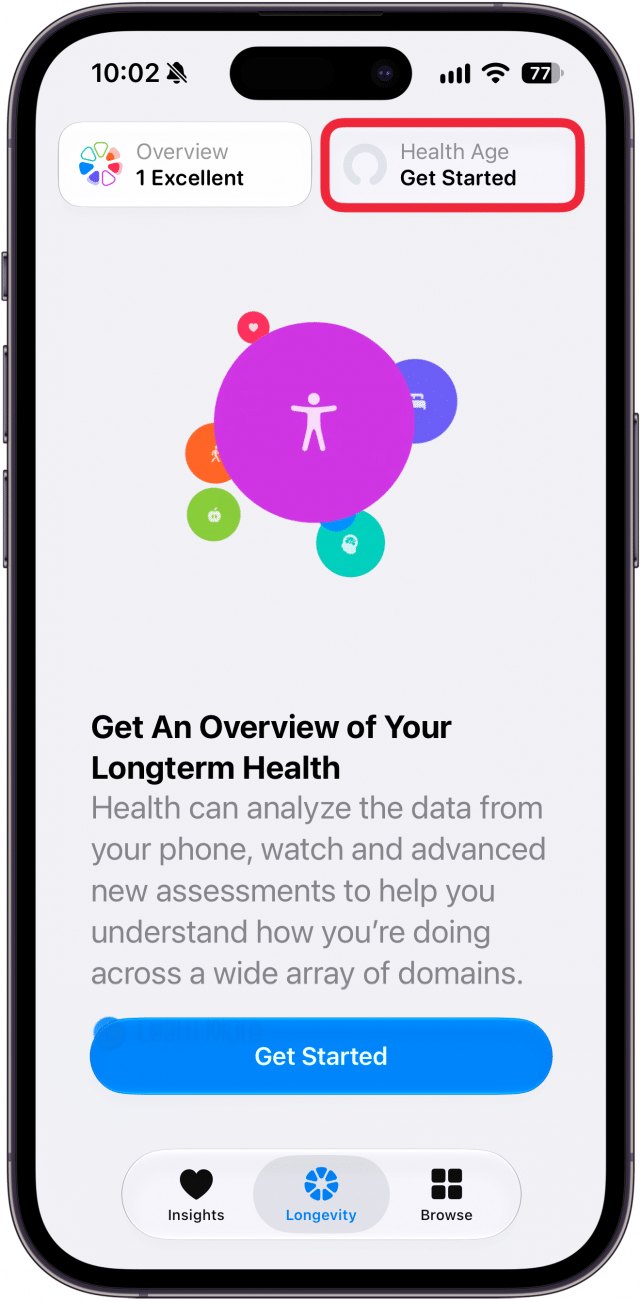
- Tap Longevity.
- Tap the Health Age tab at the top of your screen. (You can also tap Get Started on this screen to get an intro to the new Health app, but it's not necessary to get your Health Age.)
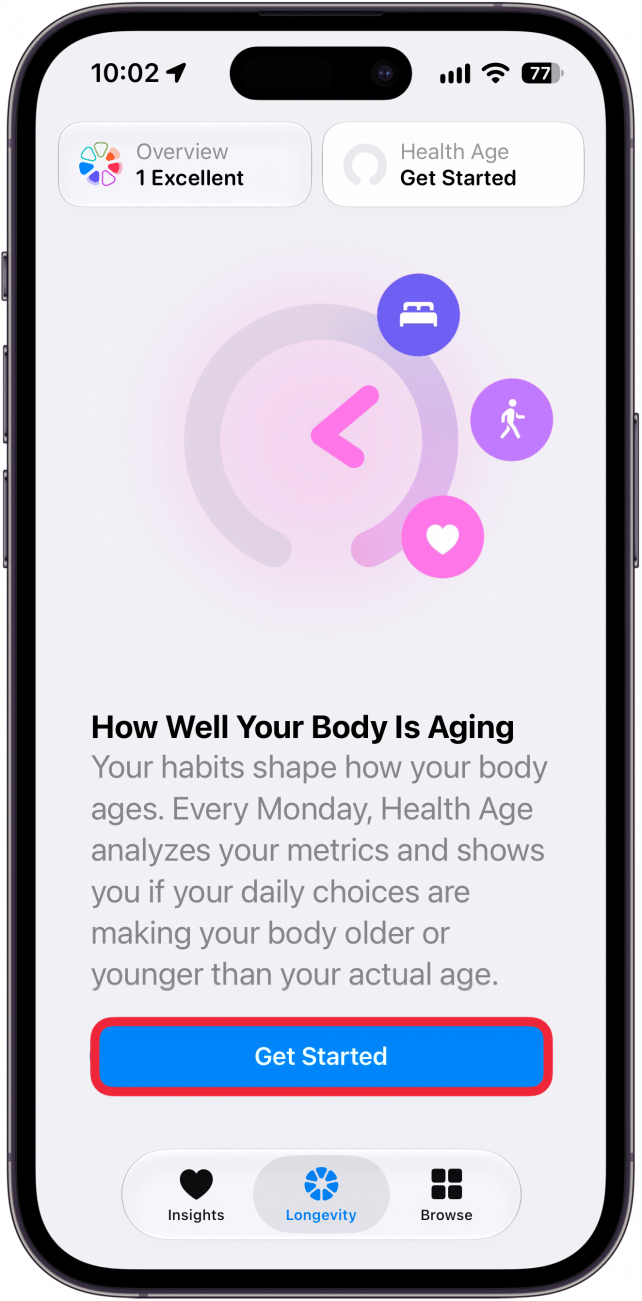
- If this is your first time on this screen, tap Get Started.
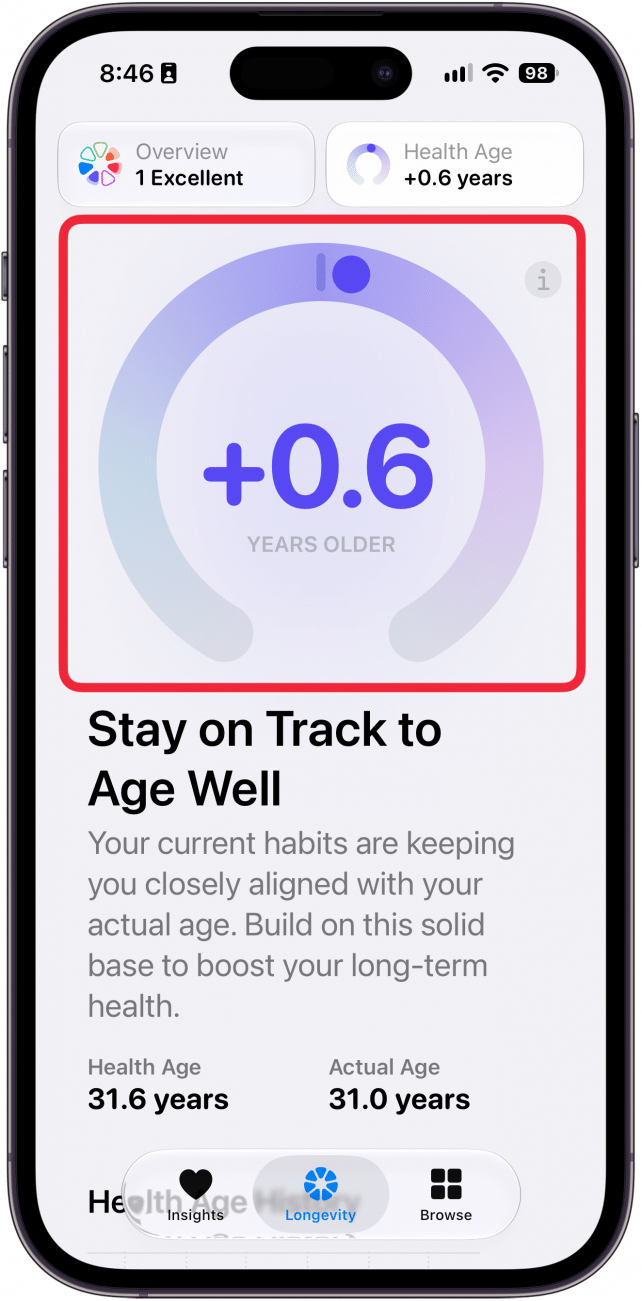
- You'll see an estimate of your health age.
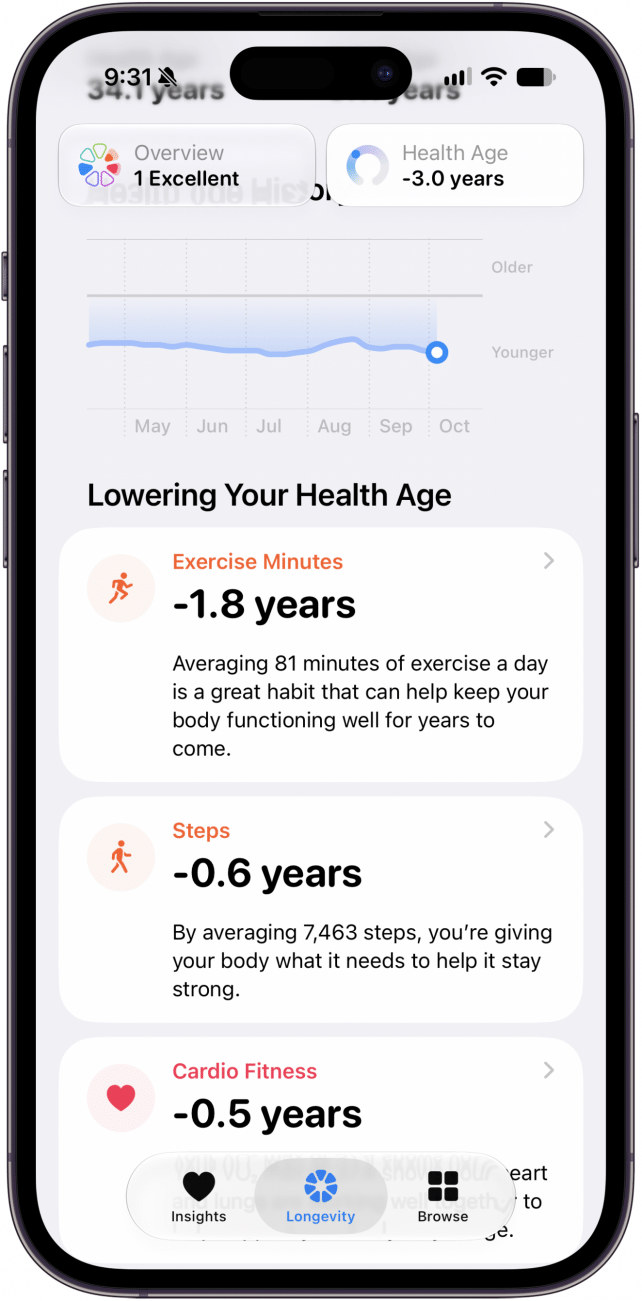
- You can scroll down to find more information on the factors affecting your estimated Health Age.
That's how to find your Health Age on your iPhone. Keep in mind this is just an estimate based on the information you've entered into the Health app. If you're concerned about your health, you should contact your doctor and not rely solely on information from the Health app.

Every day, we send useful tips with screenshots and step-by-step instructions to over 600,000 subscribers for free. You'll be surprised what your Apple devices can really do.

Rhett Intriago
Rhett Intriago is a Feature Writer at iPhone Life, offering his expertise in all things iPhone, Apple Watch, and AirPods. He enjoys writing on topics related to maintaining privacy in a digital world, as well as iPhone security. He’s been a tech enthusiast all his life, with experiences ranging from jailbreaking his iPhone to building his own gaming PC.
Despite his disdain for the beach, Rhett is based in Florida. In his free time, he enjoys playing the latest games, spoiling his cats, or discovering new places with his wife, Kyla.
 Olena Kagui
 Leanne Hays

 Rhett Intriago

 Cullen Thomas


 August Garry
 Rachel Needell