5 Ways to Tell if AirPods Pro or AirPods Are Fake

In the last 10 years, Olena has been published in dozens of publications internationally and written hundreds of how-to articles and complex guides about Apple products, software, and apps.
Learn More In the last 10 years, Olena has been published in dozens of publications internationally and written hundreds of how-to articles and complex guides about Apple products, software, and apps.
Learn MoreWhat to Know
- The quickest way to identify real AirPods is to check for features such as noise control and ear tip fit test.
- Doing an Apple AirPods serial number check is quick and easy, but manufacturers may copy serial numbers from real AirPods to trick you.
- Certain physical traits are unique to real AirPods and AirPods Pro; learning to identify them can help you identify fake AirPods easily.
We've all seen deals on AirPods and AirPods Pro that seem too good to be true. I'll teach you how to check if AirPods are real so that you can avoid falling for knock-off AirPods. I'll start with the quickest fake AirPods identification method and end with a science experiment.
Do a Unique Apple Features Check to Distinguish Fake AirPods Pro (and AirPods)
Are your AirPods fake? We hope not! Here are five steps you can take to spot fake AirPods Pro, AirPods, and AirPods Max, no matter what model they are. Doing an AirPod serial number check used to be the quickest way to verify authenticity, but it is no longer a foolproof method. Once paired to your iPhone, here’s how to spot fake AirPods Pro or AirPods quickly:
- Open Settings on your iPhone.
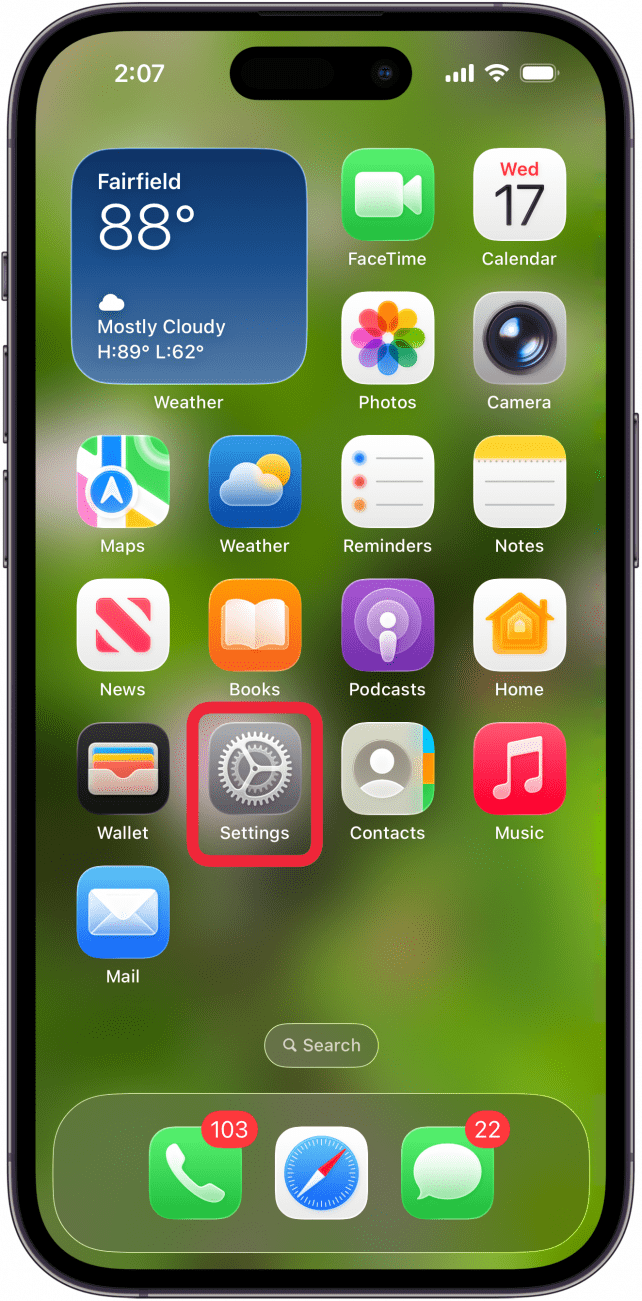
- Tap Bluetooth.
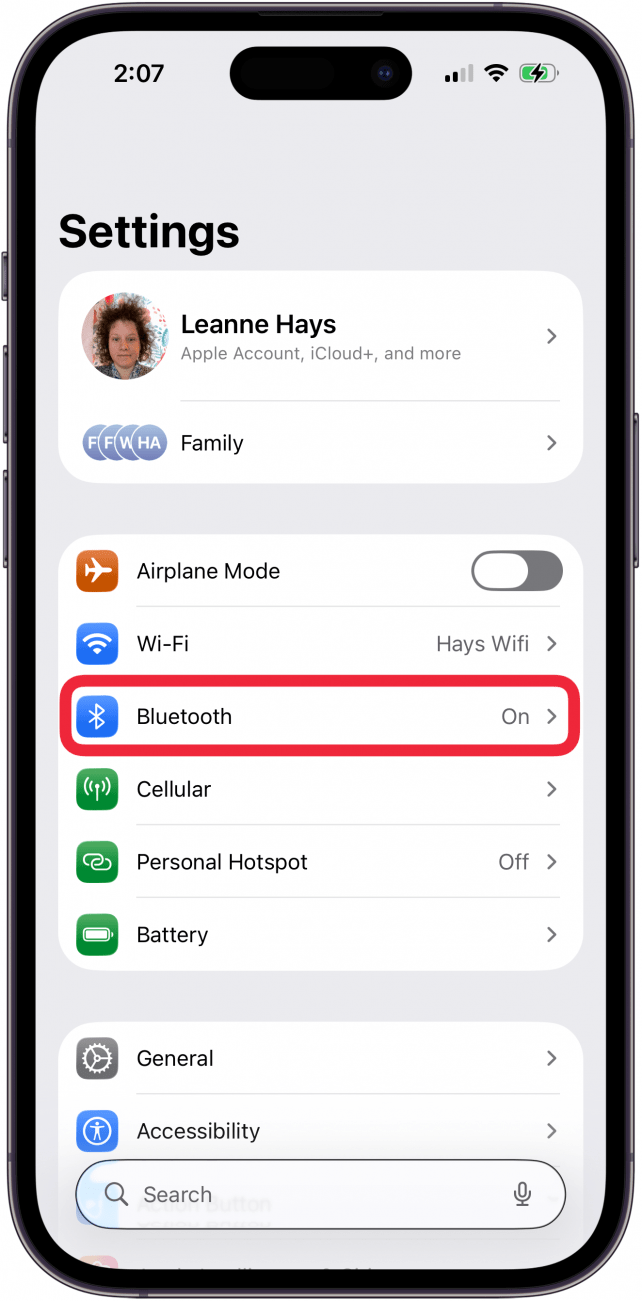
- Make sure the AirPods you are checking are connected.
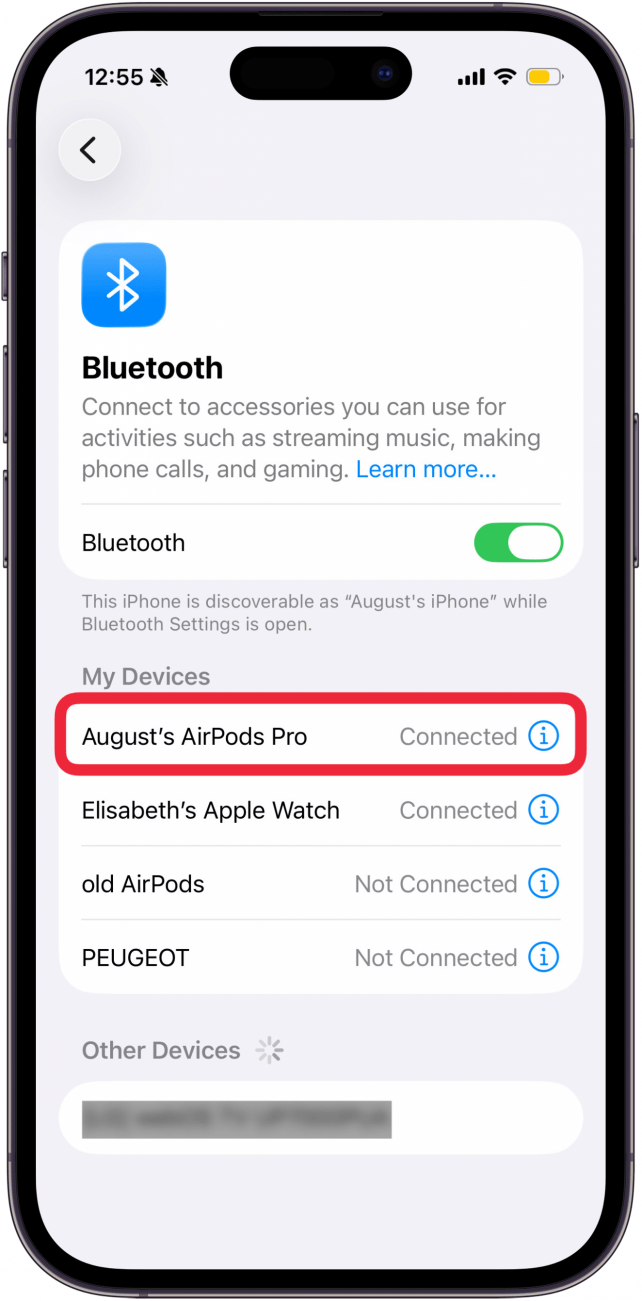
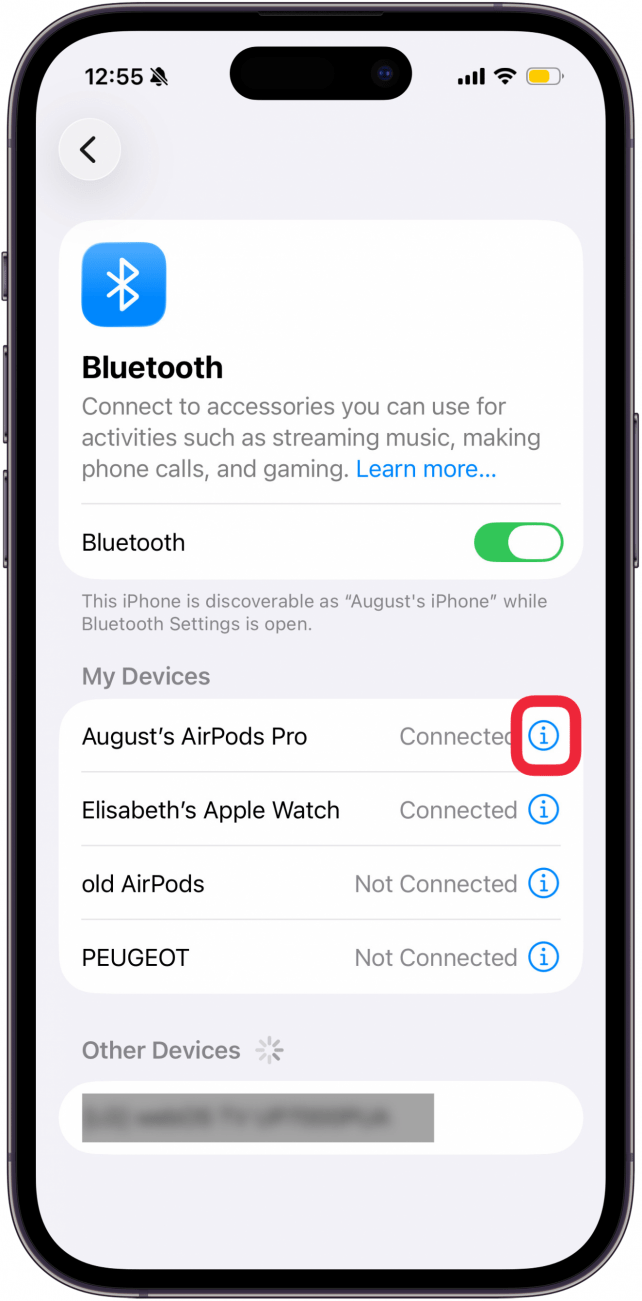
- Next to the AirPods, tap the i icon.
- Real AirPods will have many Accessibility features, an Ear Tip Fit Test, and more.

- If you scroll down, you should see the option to Show in Find My.
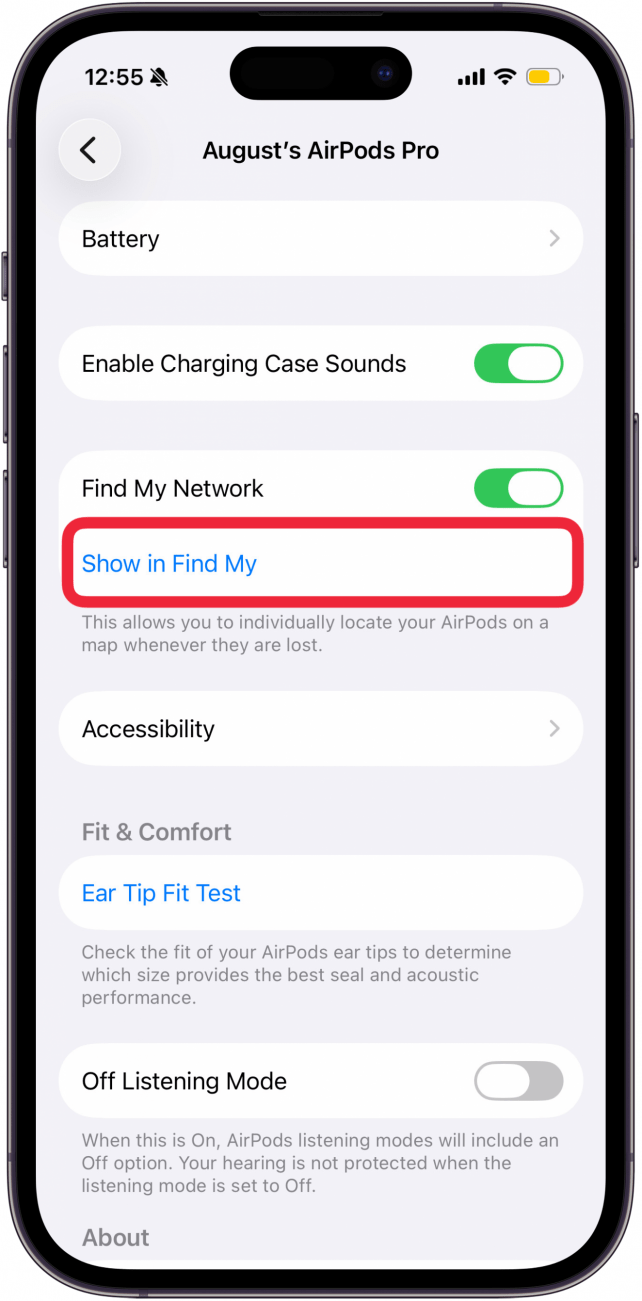
- While it is possible to add third-party headphones to Find My, they would show up in the Items tab. Real AirPods show up in the Devices tab.

Pro Tip
This is the best way to quickly authenticate your AirPods as long as you can set them up. If you are shopping for AirPods and cannot do this, check out the other methods in this article.
All these methods, except the bonus science method, should help you identify fake AirPods Max, AirPods Pro, and AirPods, no matter the model.
Perform an Apple AirPods Serial Number Check to Rule Out Knock Off AirPods
Fake AirPod Pros or AirPods can be spotted easily via serial numbers. First, make sure that the serial number on the box matches the serial number on the actual AirPods. If your AirPods serial number doesn't match, your AirPods may be fake.
- Locate the serial number on the packaging box that your AirPods came in. If you no longer have the box, skip this step.
- Locate the serial number on your AirPods. It should be on the inside of your AirPods charging case.
- Navigate to https://checkcoverage.apple.com/.
- Sign in with your Apple ID, or enter the serial number and the verification code, then tap Submit.
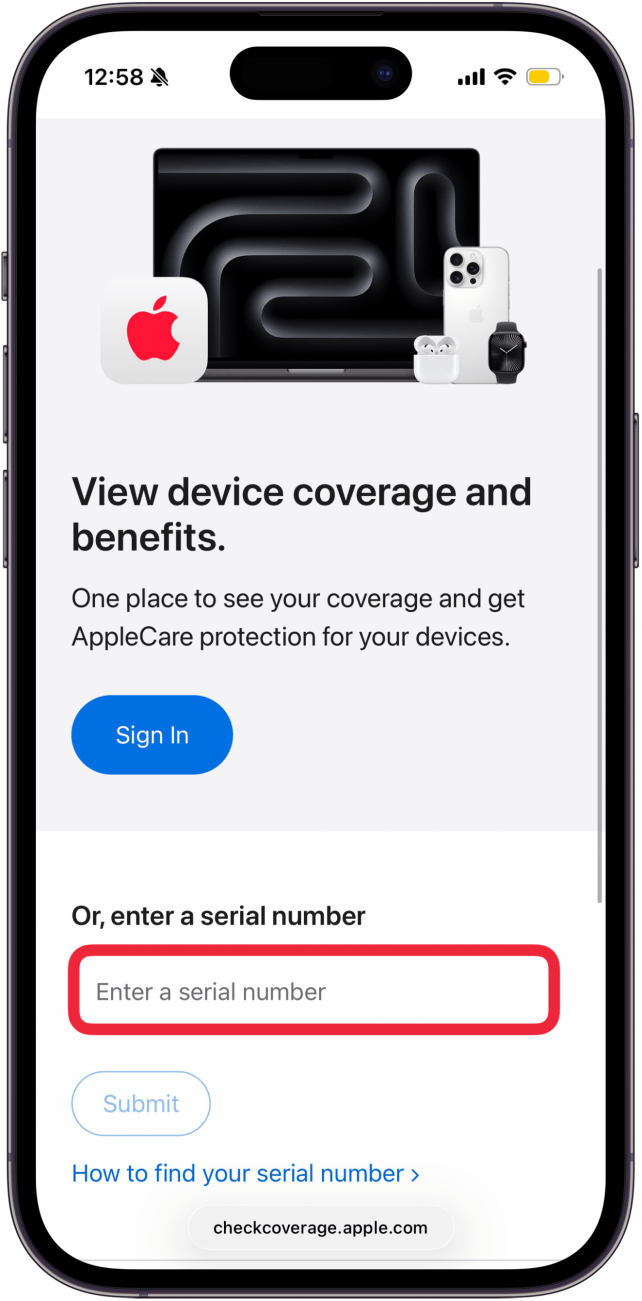
- As you can see, my real Apple AirPods Pro 2 show up. If you didn't purchase directly from Apple, you'll see a "Purchase Date not Validated" message instead of Purchased on.
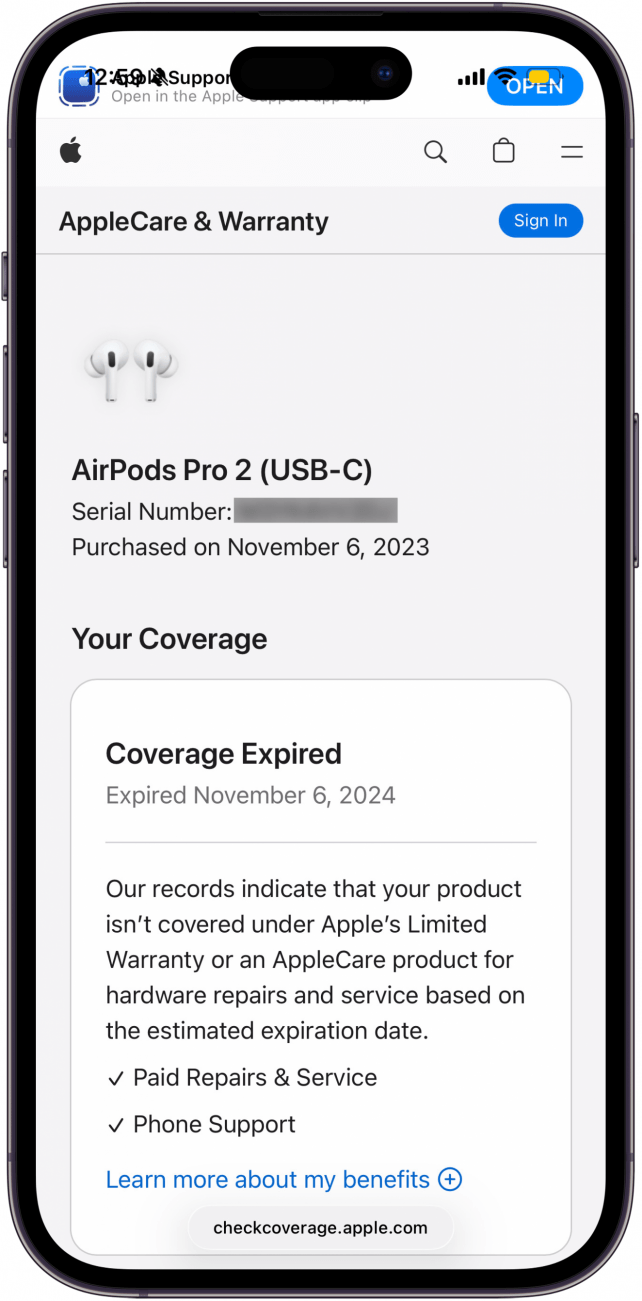
- If you enter a serial number on AirPods Pro and this window shows AirPods or vice versa, you likely have fake AirPods Pro with a stolen serial number.
Warning
Please remember that this isn't a surefire way to spot fake AirPods because some manufacturers copy serial numbers from real AirPods. However, the likelihood of this is low.
Your AirPods Pro serial number check is complete! You can use this Apple serial number lookup method for other Apple devices, too, not just AirPods. If you want to rule out that your AirPods are knock-offs, keep reading!
Learn How to Check If AirPods Are Real by Checking Their Packaging
An important step in checking if AirPods are real is taking a closer look at the packaging. As I mentioned in the section above, the serial number of your AirPods should be the same on the box and inside the charging case. Next, read the text for typos, fake logos, and unusual colors.
Apple’s packaging is also always super snug and perfectly neat. If you hold the lid of the box, the bottom part will slide out slowly and smoothly. If you notice that the box isn’t sturdy or feels loose, you may have fake AirPods. Take a close look at the labels.
Apple tends to use several different labels per product; for example, the label with the serial number will be separate from the label describing compatibility. Fake AirPod manufacturers may put all the information on one label and not take as much care to position it perfectly centered and straight. Now you know how to spot fake AirPods boxes.
Real AirPods Can Be Distinguished from Fake Ones with a Quick Physical Check
There are several physical checks that you can perform to make sure your AirPods or AirPods Pro are real. Apple AirPods charge via a Lightning port, so if your AirPods have a different port, that's a big clue that they are fake. Plus, an authentic Apple AirPods lightning port is lined with metal.
Some fake AirPods will look almost identical to the real thing, which is why software and serial number checks are a better way to go. However, if you are able to get authenticated AirPods to do a side-by-side physical comparison, you could spot a fake by differences in the gills, color, text font, lights, shape, and case fit.
Bonus Trick: How to Tell If AirPod Pros Are Fake Using Science
We've all done fun experiments in science class, but this one doesn't require beakers, hot plates, or even measuring cups! Apple AirPods and AirPods Pro have magnetic parts that fake AirPods usually don't. This method does not work on AirPods Max.
If you have AirPods, place one on a flat surface and hold the other one in your hand. Bring the acoustic outlets close together and see if the magnets repel. For Pro models, you’ll have to remove the AirPod tips, then follow the same process to see if there is a magnetic reaction. Keep in mind that there is a chance that some models of fake AirPods may also repel, so this is not an exact science, pun intended.
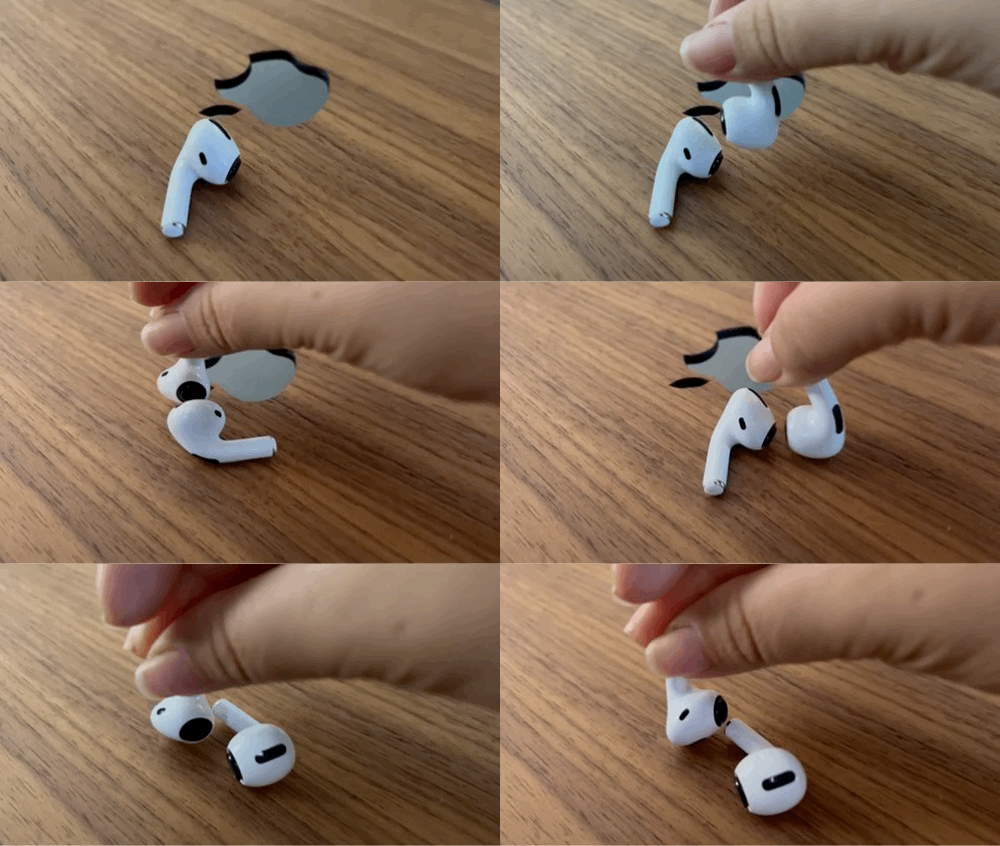
Now you know how to tell if AirPods Pro are fake! A quick recap: real AirPods Pro have many features you can access via Bluetooth, their serial number can be authenticated online, their packaging is neat and perfect, they repel each other, plus there are some physical tells, such as a metal-lined lightning port. All this is true for AirPods as well!
We've also discussed that checking Apple AirPods serial numbers is a good but not perfect way to authenticate your AirPods because fake manufacturers have ways of getting and using real serial numbers. We hope this article helps you confidently identify fake AirPod Pros and AirPods. However, I'd like to point out that third-party earbuds can work well and offer a lower-cost alternative to authentic AirPods. If you own genuine AirPods, be sure to add them to Find My.
To learn more about AirPods, like how to connect them to another iPhone, sign up for our free Tip of the Day newsletter.
FAQ
- How to tell if AirPods are charging? AirPods have a charging light on their case that you can check, but you can also look at Today View on your iPhone to see if your AirPods are charging.
- How to factory reset AirPod Pros or AirPods? First, you'll need to forget your AirPods in your iPhone's Bluetooth settings, then press and hold the Setup button on the case. Here are detailed steps on how to factory reset AirPods of any model.

Olena Kagui
Olena Kagui is a Feature Writer at iPhone Life. In the last 10 years, she has been published in dozens of publications internationally and won an excellence award. Since joining iPhone Life in 2020, she has written how-to articles as well as complex guides about Apple products, software, and apps. Olena grew up using Macs and exploring all the latest tech. Her Maui home is the epitome of an Apple ecosystem, full of compatible smart gear to boot. Olena’s favorite device is the Apple Watch Ultra because it can survive all her adventures and travels, and even her furbabies.
 Rhett Intriago
 Olena Kagui
 Leanne Hays

 Cullen Thomas

 Susan Misuraca
 Amy Spitzfaden Both