How to Convert a Photo to Portrait Mode on an iPhone

Leanne puts her love of troubleshooting and repair to use managing our Ask an Expert Facebook group and has authored hundreds of how-to, Apple news, and gear review articles.
Learn More Leanne puts her love of troubleshooting and repair to use managing our Ask an Expert Facebook group and has authored hundreds of how-to, Apple news, and gear review articles.
Learn MoreHave you ever taken a picture on your iPhone and wished you has taken it in Portrait mode? No worries! We'll show you how to convert a photo to Portrait mode on your iPhone.
Why You'll Love This Tip
- Learn how to change a regular photo to a Portrait mode photo in a few easy steps.
- Blur the background of a photo while focusing on the important part: the person's face.
How to Change a Picture to Portrait Mode on an iPhone
System Requirements
This tip works on iPhones running iOS 16 or later, and was tested on an iPhone 17 Pro running iOS 26.4. Find out how to update to the latest version of iOS.
Here's how to convert a normal photo to Portrait mode on your iPhone in just a few easy steps.
Note: Not every picture can be changed to Portrait mode. If you don't see Portrait at the upper left of the photo, this is one of those photos that can't be converted.
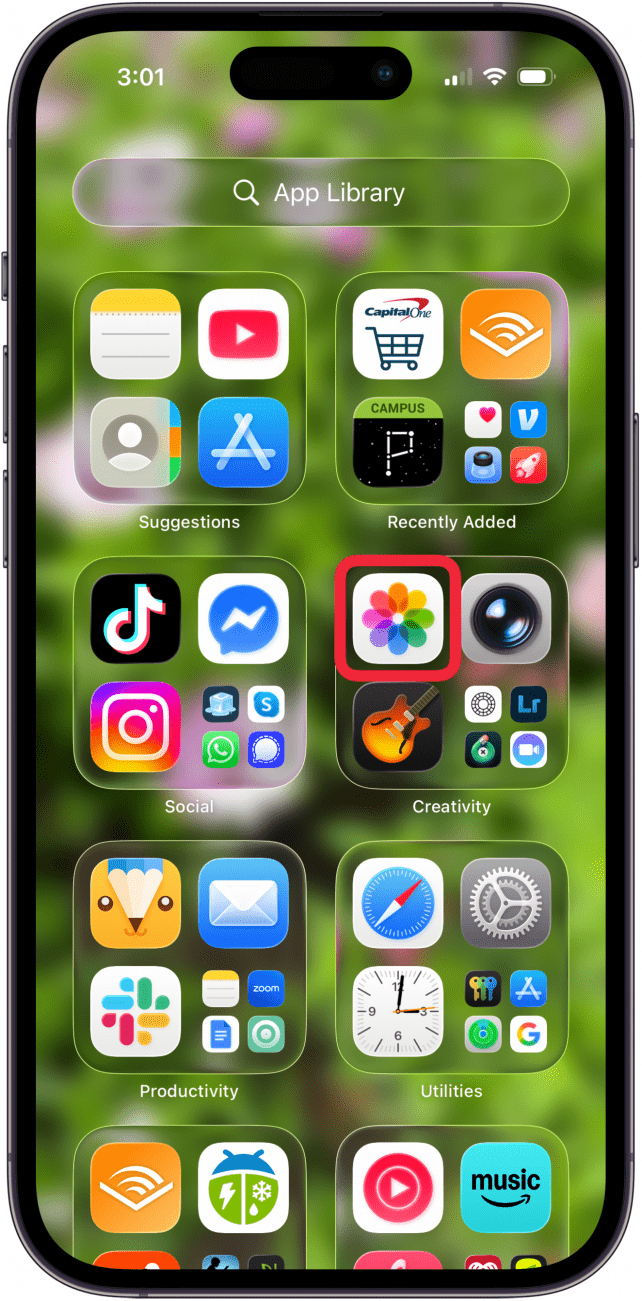
- Open the Photos app.
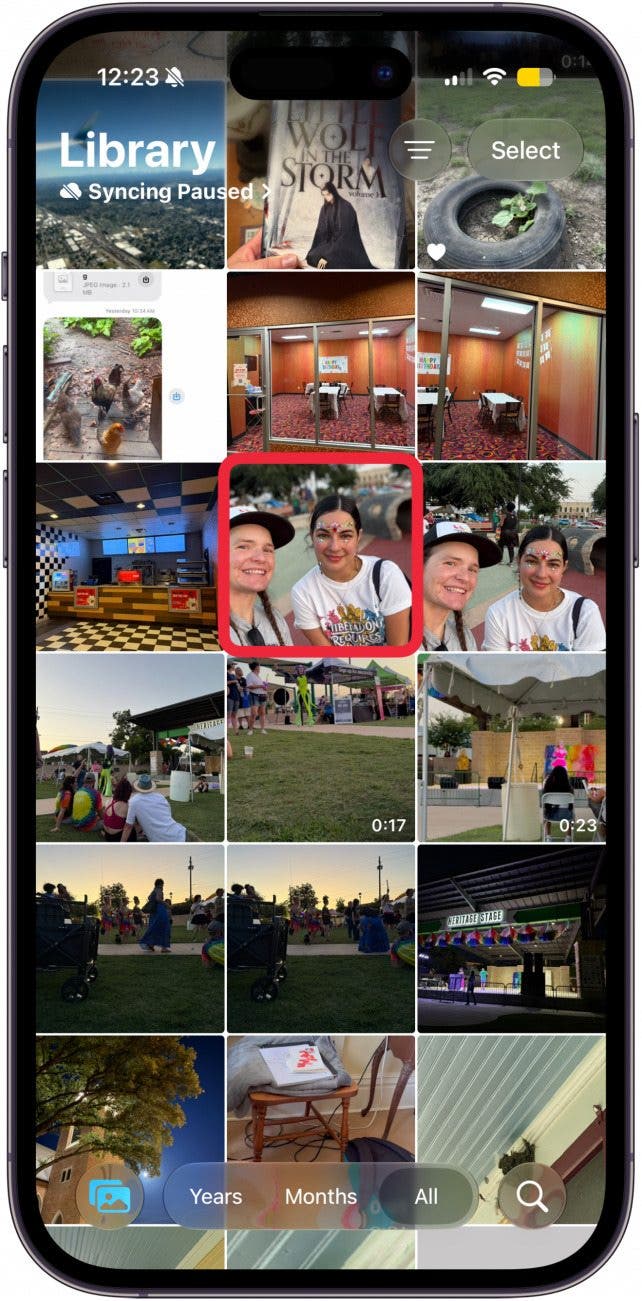
- Tap the photo of a person or animal that you want to change to Portrait mode.
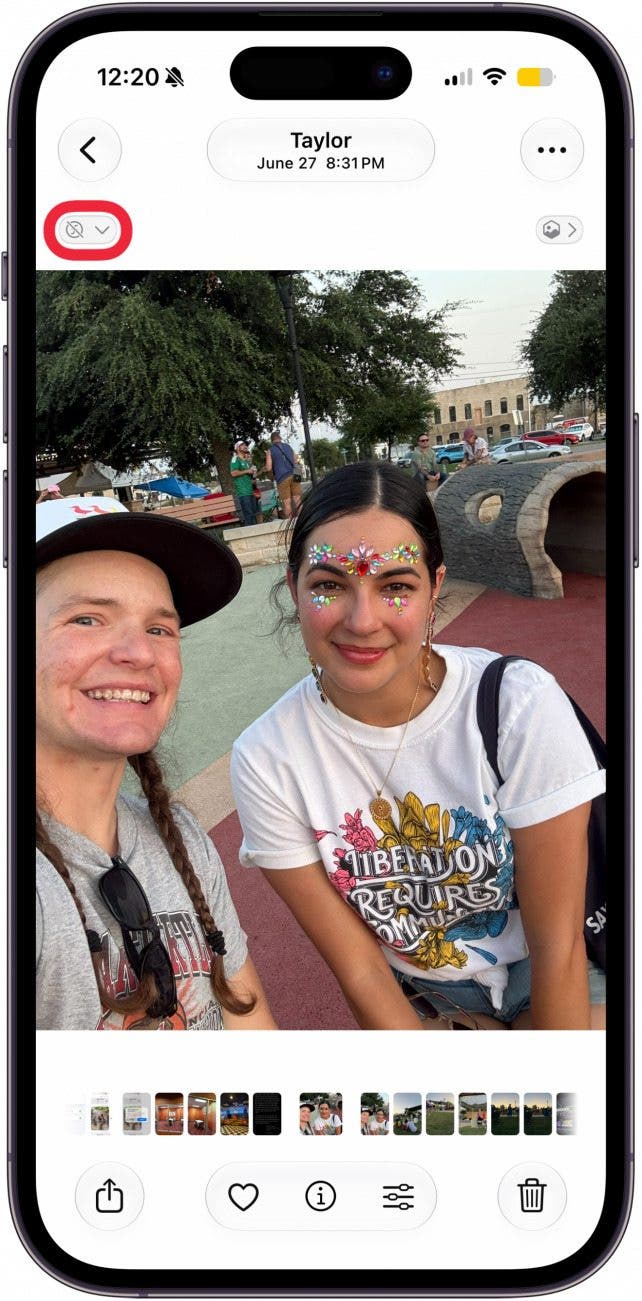
- Tap the portrait icon in the upper-left corner of the picture.
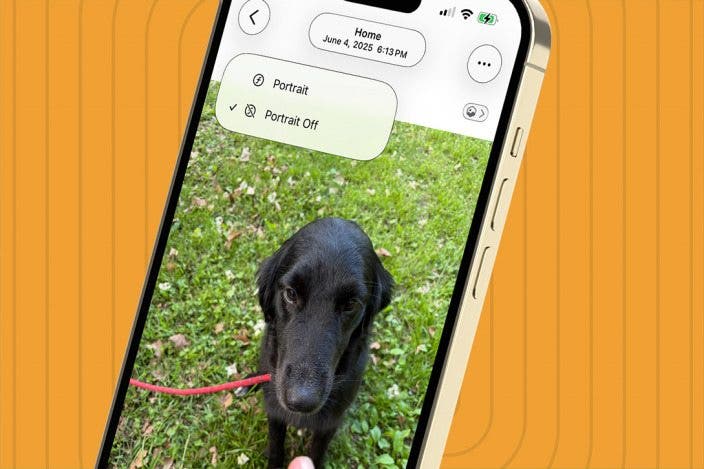
- Tap Portrait.
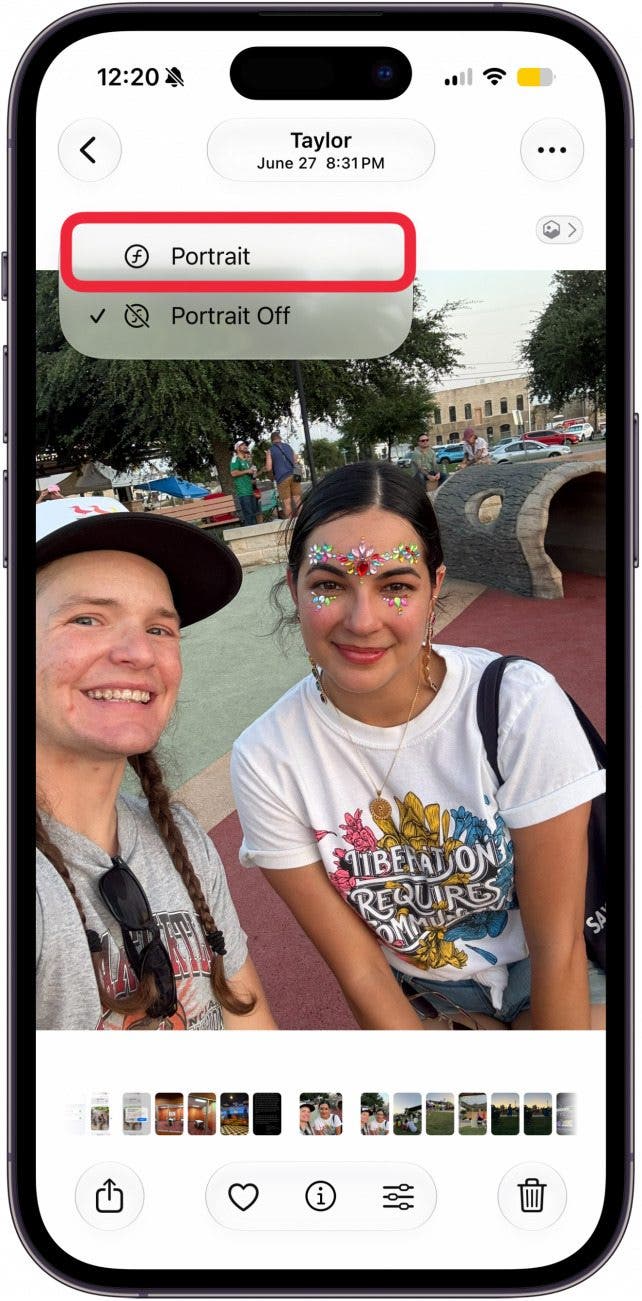
- Now, your image will have the iPhone's portrait styling: focus on the subjects in the foreground, with the background out of focus.
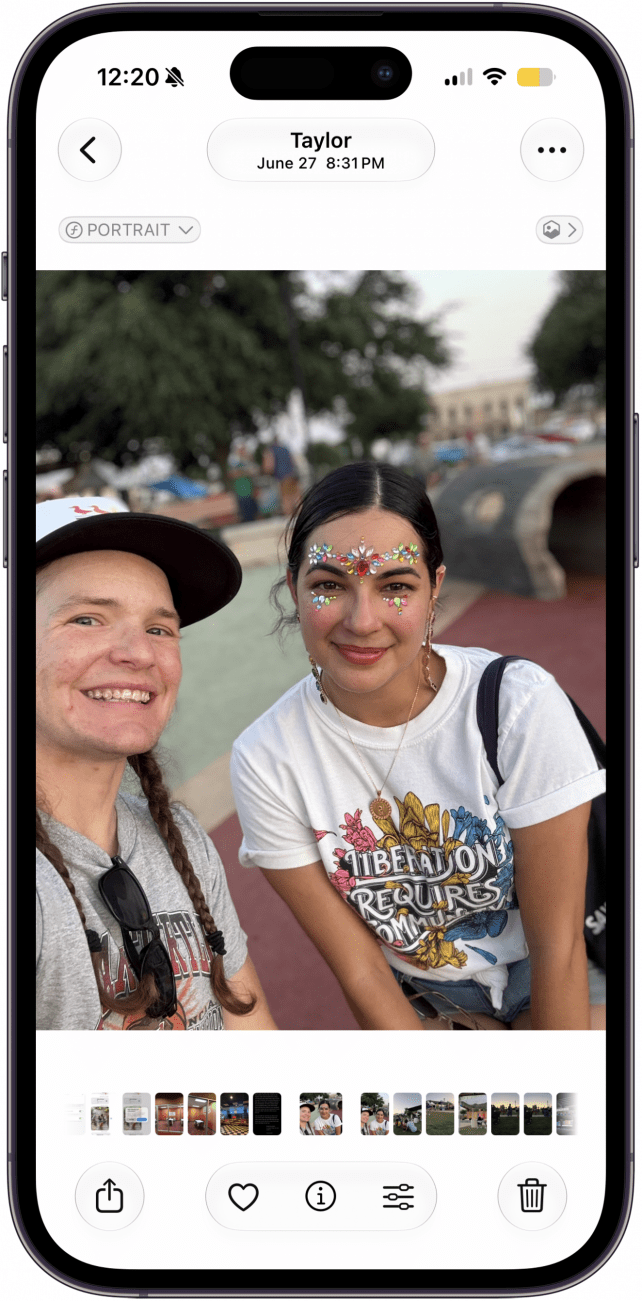
And that's it! Now you know how to convert a photo to Portrait mode on your iPhone. You can also reverse this process and turn Portrait mode photos into regular photos. For more great iPhone photography, check out our free Tip of the Day.

Every day, we send useful tips with screenshots and step-by-step instructions to over 600,000 subscribers for free. You'll be surprised what your Apple devices can really do.

Leanne Hays
Leanne Hays has more than sixteen years of experience writing for online publications. As a SEO Specialist and Feature Writer for iPhone Life, she has authored hundreds of how-to, Apple news, and gear review articles, as well as a comprehensive Photos App guide. Leanne holds degrees in education and science and loves troubleshooting and repair. This combination makes her a perfect fit as manager of our Ask an Expert service, which helps iPhone Life Insiders with Apple hardware and software issues.
In off-work hours, Leanne is a mother of two, homesteader, audiobook fanatic, musician, and learning enthusiast.
 Rachel Needell
 Ashleigh Page

 Olena Kagui
 Amy Spitzfaden Both
 Rhett Intriago

 Leanne Hays