How to See Time in Daylight on Apple Watch

In the last 10 years, Olena has been published in dozens of publications internationally and written hundreds of how-to articles and complex guides about Apple products, software, and apps.
Learn More In the last 10 years, Olena has been published in dozens of publications internationally and written hundreds of how-to articles and complex guides about Apple products, software, and apps.
Learn MoreThere are lots of benefits to spending time in daylight, and your Apple Watch can help you track if you are doing it enough. Not only does being outside help your body produce more Vitamin D, but there are lots of other physical and mental health benefits. We'll teach you how to discover your daylight tracking number in your Health app.
Why You'll Love This Tip
- Daylight tracking is a new way to understand your overall health.
- The Health app gives you a daylight tracking number (aka the number of minutes) so that you can have a quantifiable way to look at time spent outside.
How to Track Your Time in Daylight Apple Watch
System Requirements
This tip was performed on an iPhone 17 Pro Max running iOS 26.5 paired with an Apple Watch Series 10 running watchOS 26.5. Find out how to update to the latest version of iOS and watchOS.
Daylight tracking isn't something people always think of when evaluating their health, but it can be an important factor. For more iPhone health tips, don't forget to check out our free Tip of the Day newsletter. Here’s how to get your daylight tracking number via the Health App:
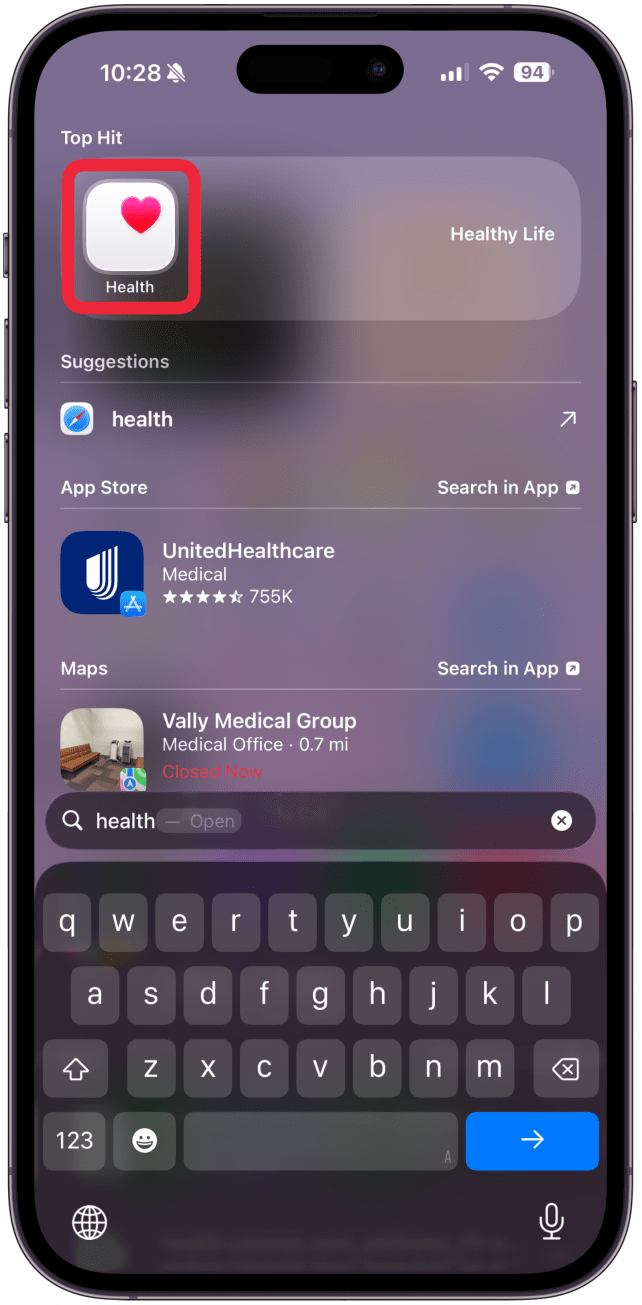
- Open the Health app on your iPhone.
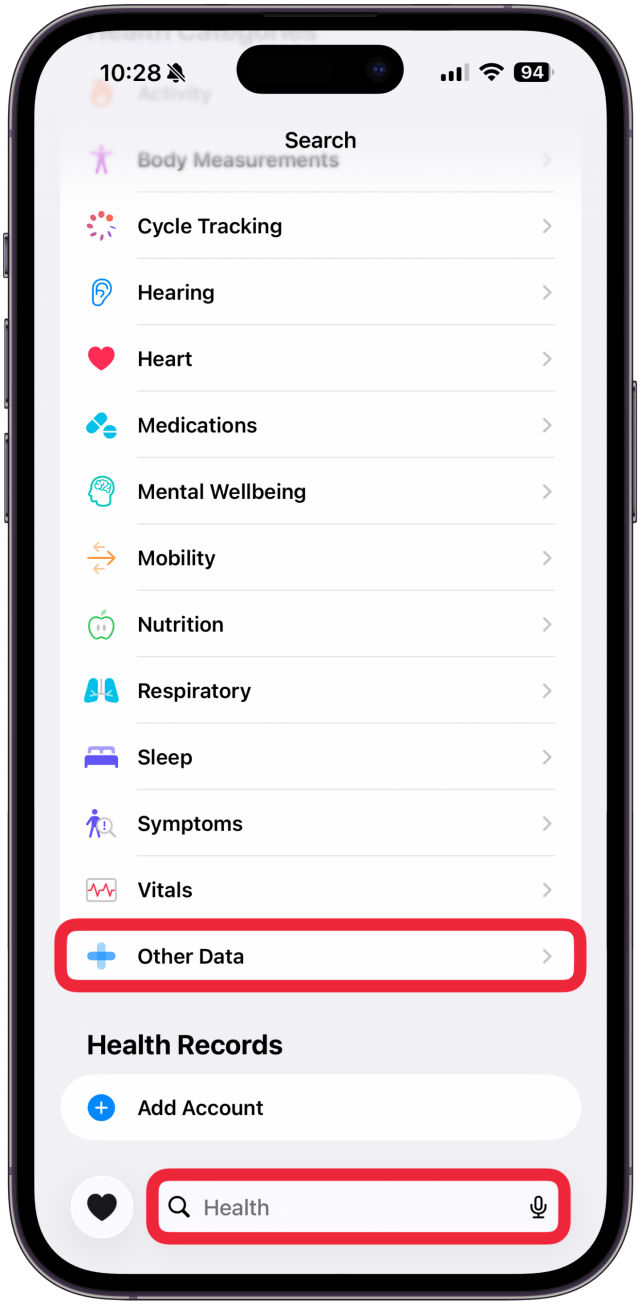
- Tap on the magnifying glass in the bottom right corner.
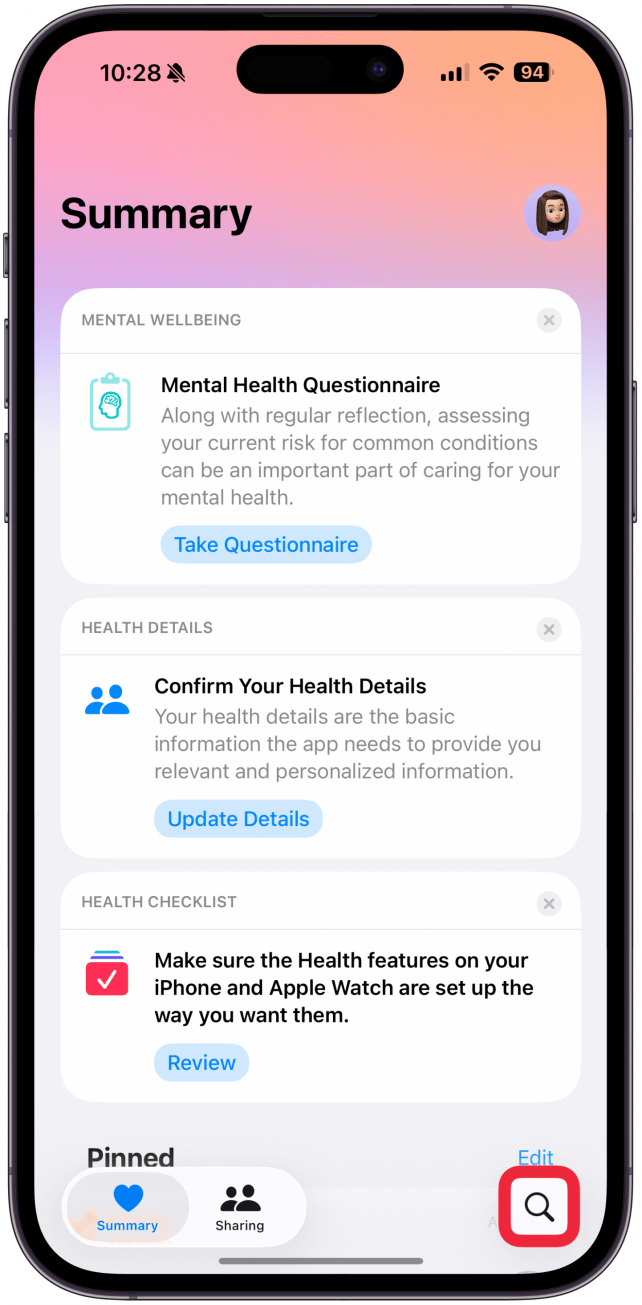
- Scroll down to Other Data, or use the search bar to search for Time in Daylight.
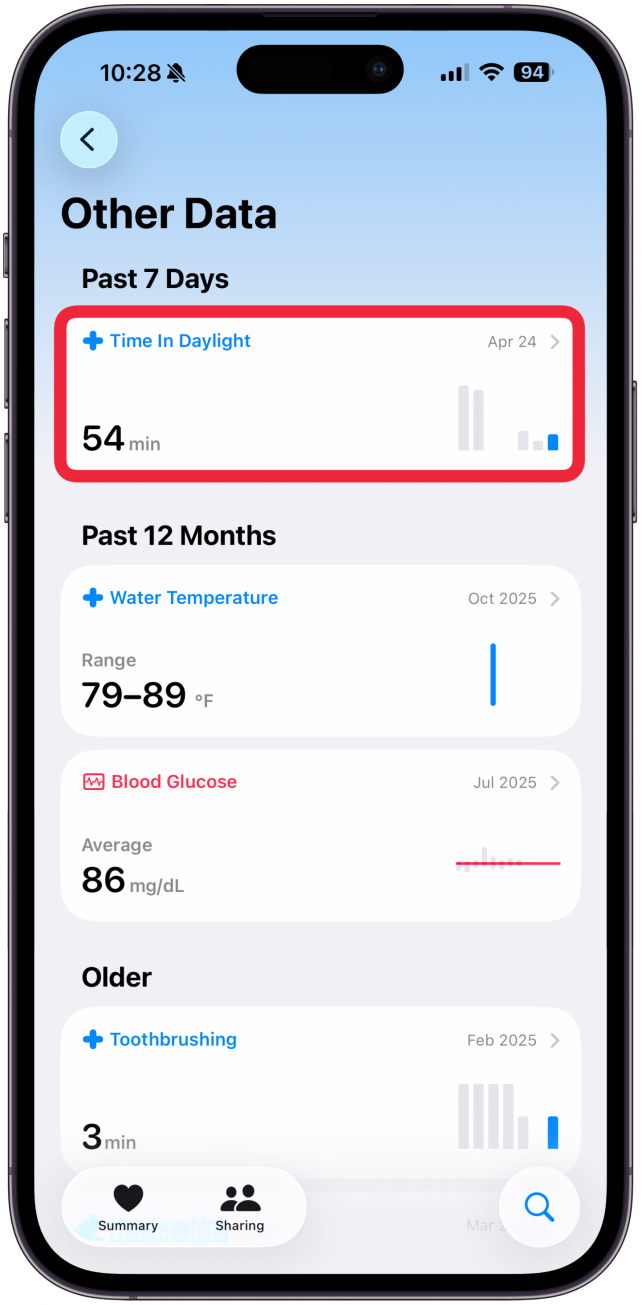
- Select Time in Daylight to see more info.
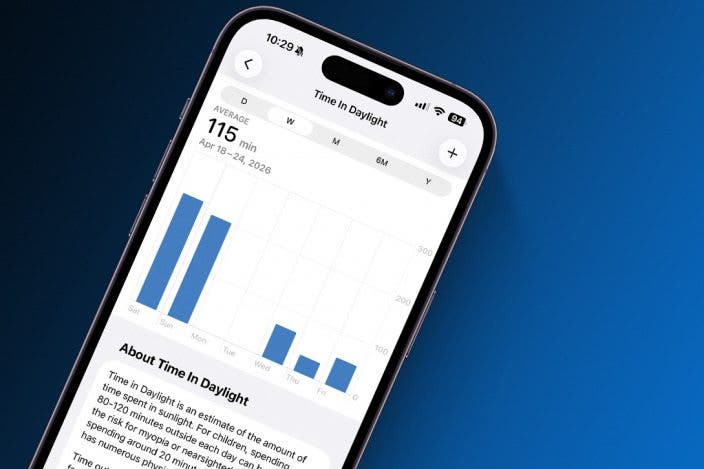
- Here you can see your average Time In Daylight on a daily, weekly, monthly, 6-month, or yearly basis.
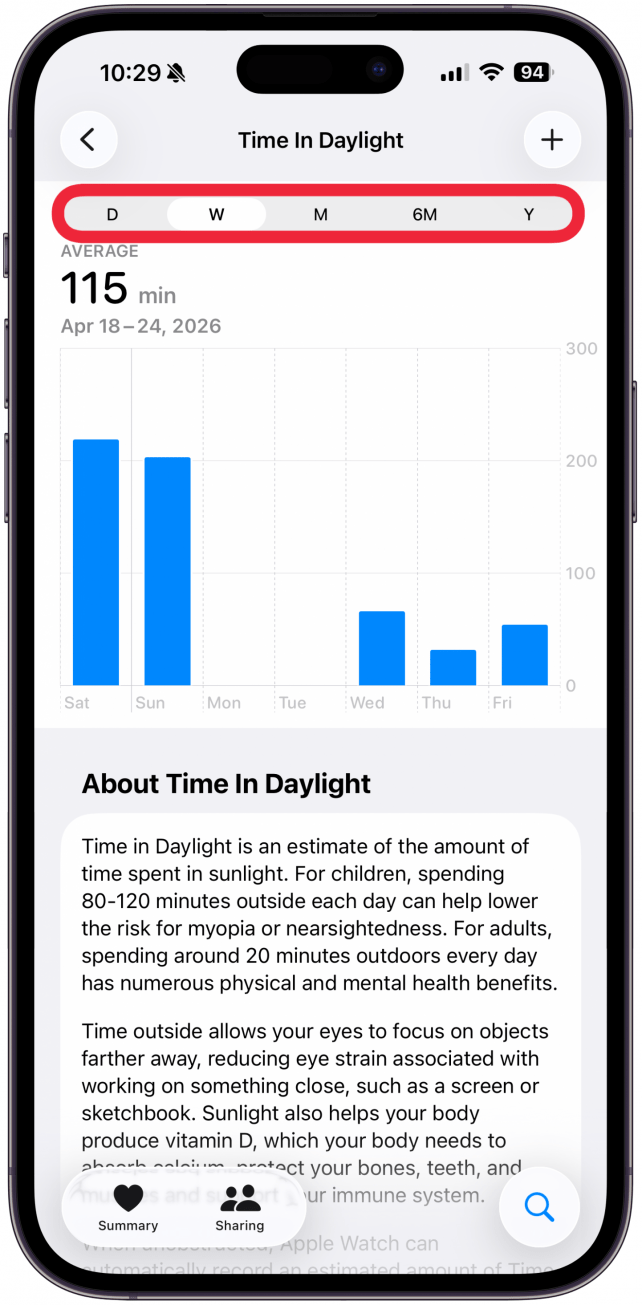
Unlike some other health tracking features, there is no daylight tracking number score, instead it is shown in how many minutes you spend in daylight. I like this because I can use it to set a goal to spend an extra number of minutes/hours outside to improve.
More On: Health App

Every day, we send useful tips with screenshots and step-by-step instructions to over 600,000 subscribers for free. You'll be surprised what your Apple devices can really do.

Olena Kagui
Olena Kagui is a Feature Writer at iPhone Life. In the last 10 years, she has been published in dozens of publications internationally and won an excellence award. Since joining iPhone Life in 2020, she has written how-to articles as well as complex guides about Apple products, software, and apps. Olena grew up using Macs and exploring all the latest tech. Her Maui home is the epitome of an Apple ecosystem, full of compatible smart gear to boot. Olena’s favorite device is the Apple Watch Ultra because it can survive all her adventures and travels, and even her furbabies.

 Hal Goldstein
 Susan Misuraca
 Olena Kagui
 Rhett Intriago


 Amy Spitzfaden Both
 August Garry
 Leanne Hays