I usually only remember to add salt to my grocery list when I'm using the last of it at dinner. That means, by the time I'm writing my shopping list, I've usually forgotten all about it. Luckily, I can ask Siri to add items to my Groceries List in the Reminders app without interrupting what I'm doing. If you want the reminder added to a different list, that's possible too. You just have to phrase your request a little differently. Here's how to use Siri to add reminders to specific lists.
Why You'll Love This Tip
- Quickly add items to your Grocery list in Reminders hands-free.
- Build your list without having to open the Reminders app.
- Add items to lists on the go, so you don't forget by the time you're sitting down to write your shopping list.
How to Use Siri to Add Items to Your Grocery List
System Requirements
This tip was run on an iPhone 17 Pro using iOS 26.5. Find out how to update to the latest version of iOS.
Using Siri to add items to specific lists is pretty handy since it's faster than manually opening the Reminders app and adding them yourself. I like to use Siri to quickly add items to my grocery lists when I notice we're running low on something. Here's how to use Siri to add items to your grocery list in Reminders:
Note: You need to have already created the list in Reminders to use this tip.

- Make sure that "Hey Siri" is enabled on your iPhone.
![enable hey siri]()
- Activate Siri, either by saying "Siri"/"Hey Siri," or by pressing and holding the Side button. You can also tap the bottom of your screen to type to Siri, shown here. Then, simply say or type, "Add [item] to [list name]." For example, I told Siri, "Add eggs to my grocery list."

- Once the item has been added, a confirmation window will appear. You can tap the confirmation window to open the list and manually make any changes you want.

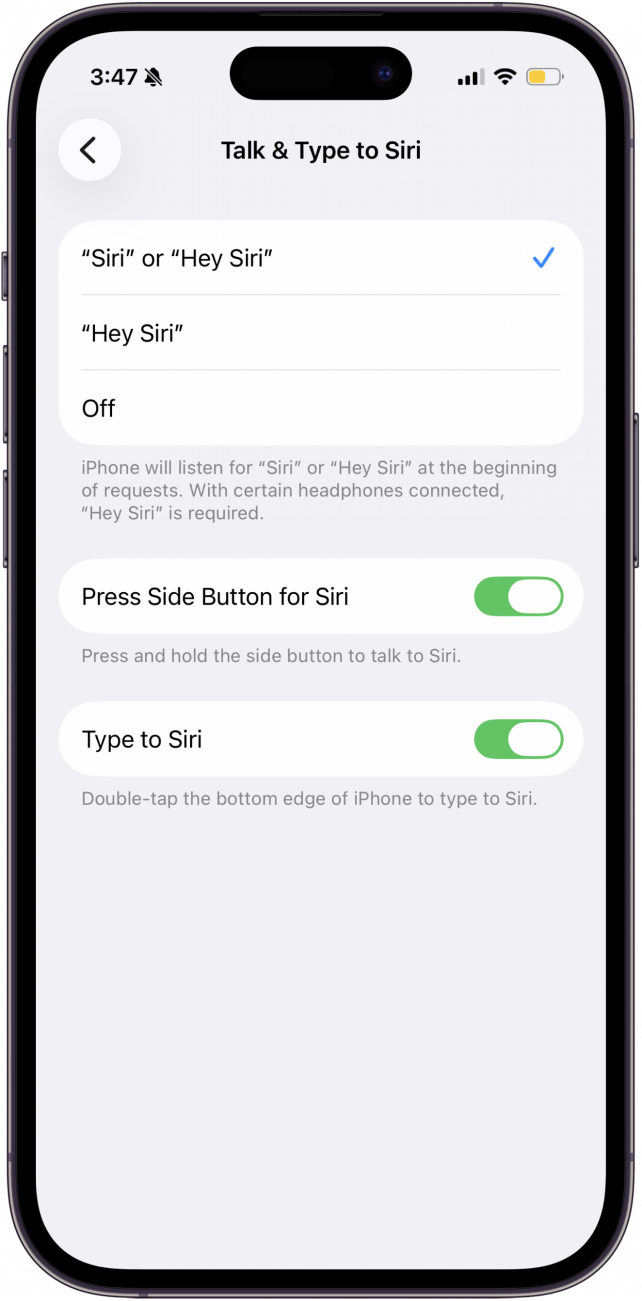
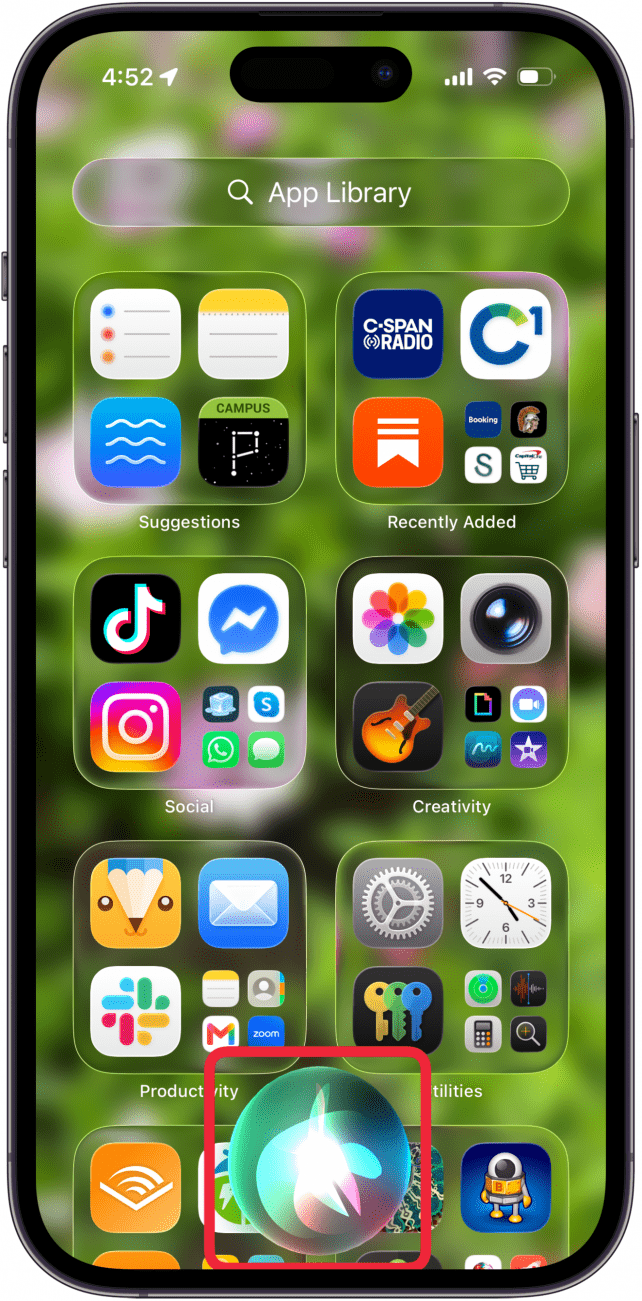
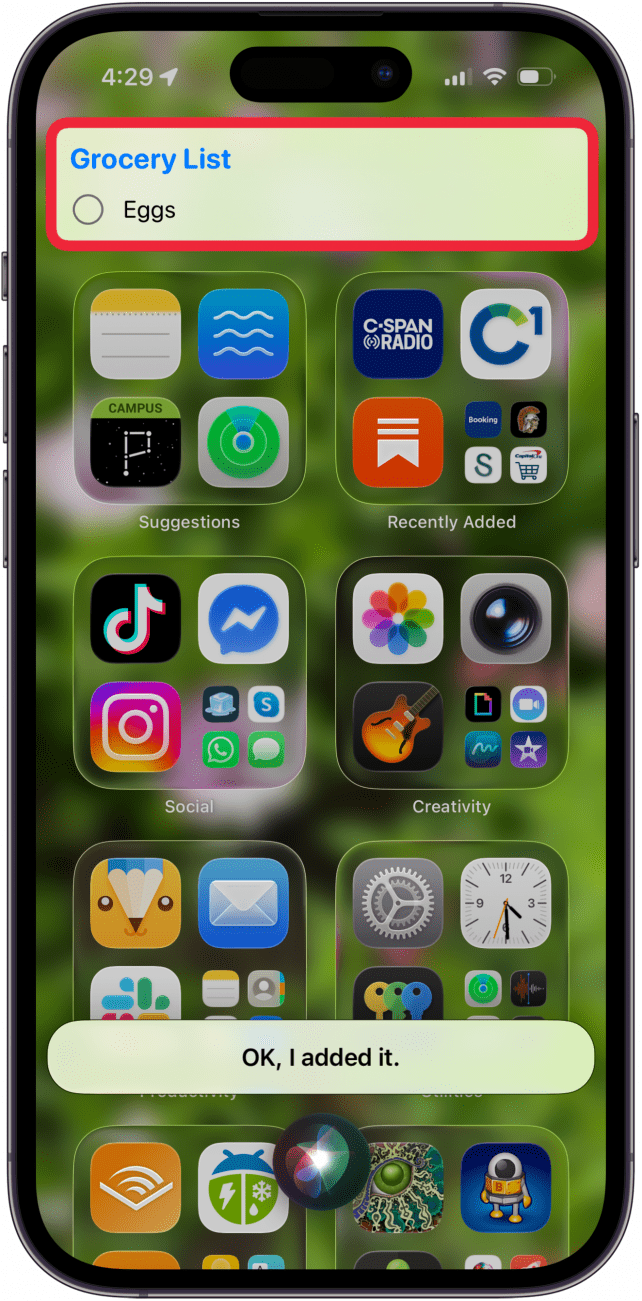
This also works with more than just grocery lists. If you want the reminder added to a specific Reminders list, instead of saying, "Hey Siri, remind me to grocery shop," say something like,
- "Siri, add grocery shopping to my Personal Reminders list," or
- "Add car payment to my Monthly Bills list," instead.
If you have multiple reminders lists that you like to keep organized, quickly using Siri to add reminders to a list is a great way to do that. For more handy Siri tips and tricks, be sure to sign up for our free Tip of the Day newsletter.
More On: Reminders
Top image credit: Guiyuan Chen / Shutterstock.com