By Rhett Intriago
Updated 12/30/2024
* This article is from our Tip of the Day newsletter. Sign Up. *
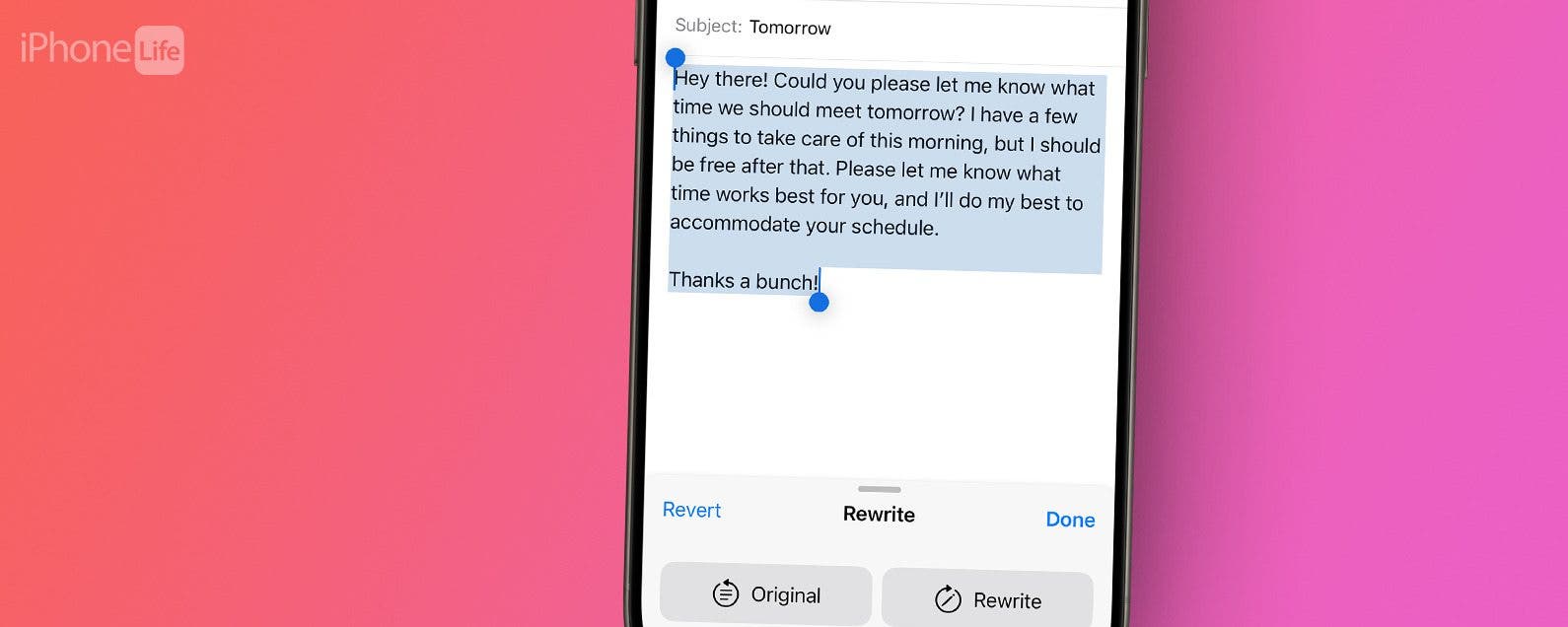
Now, there's an easy way to rewrite any text or email in just a matter of seconds. With Apple Intelligence, you can now let your iPhone’s AI rewrite text for you. We'll show you how!
Why You’ll Love This Tip:
- Rewrite and improve typed text anywhere on your iPhone.
- Make sure your messages are always written correctly.
How To Use Apple’s Rewriting Tools
System Requirements
This tip works on the iPhone 15 Pro, iPhone 16, and iPhone 16 Pro running iOS 18.1 or later. Find out how to update to the latest version of iOS.
Apple Intelligence is capable of using handy rewriting tools to change up any passage of text that you’ve typed, as long as you're using an iPhone 15 Pro, iPhone 16, or iPhone 16 Pro. Here’s how to use the Apple Intelligence rewrite tools:

Discover your iPhone's hidden features
Get a daily tip (with screenshots and clear instructions) so you can master your iPhone in just one minute a day.
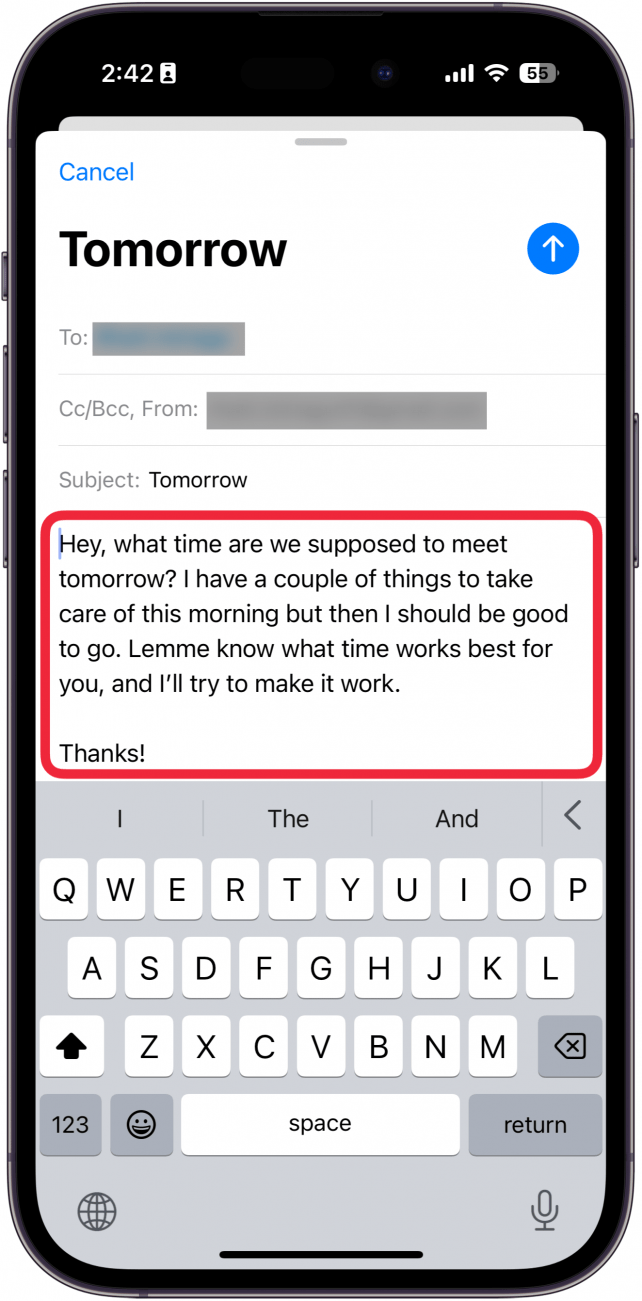
- In any area where you’ve typed text, such as an email, select the text.
![iphone new email screen with a red box around typed text]()
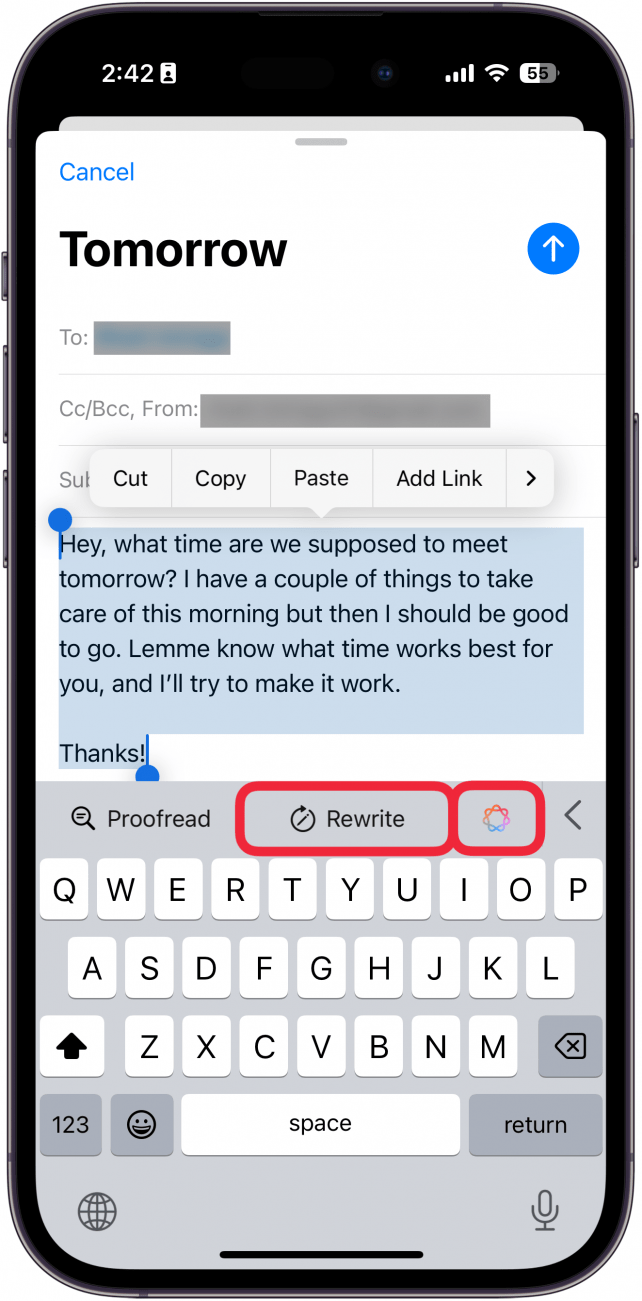
- You can tap Rewrite or the Apple Intelligence icon.
![iphone new email screen displaying highlighted text and red boxes around the rewrite button and apple intelligence button]()
- If you tapped the Apple Intelligence icon, select Rewrite.
![iphone new email screen displaying apple intelligence writing tools menu with a red box around rewrite]()
- Tap Original to see the original text.
![iphone new email screen displaying apple intelligence rewriting tool with a red box around original button]()
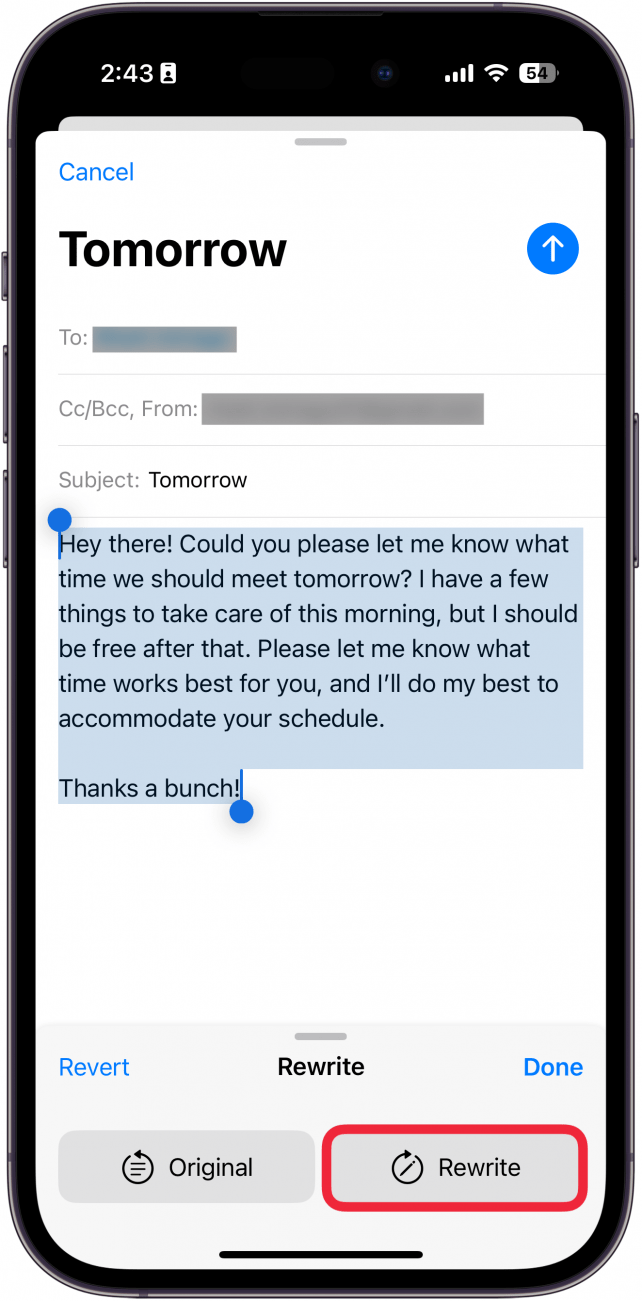
- Tap Rewrite to rewrite it again.
![iphone new email screen displaying apple intelligence rewrite tool with a red box around rewrite button]()
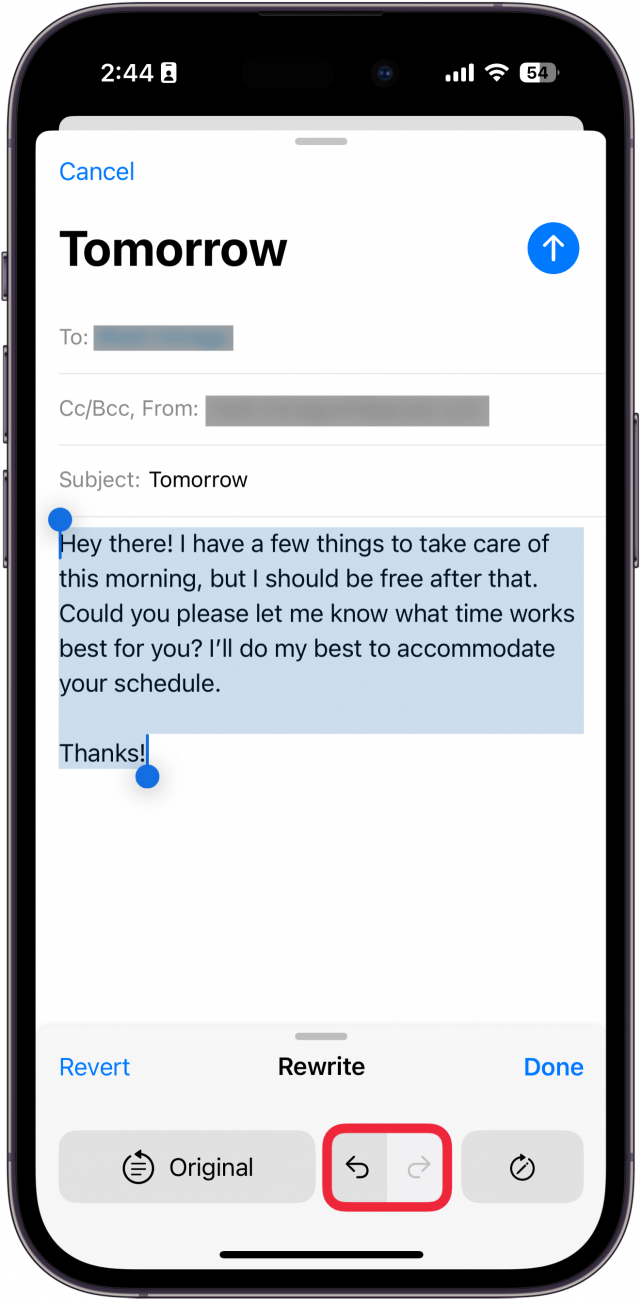
- You can use the undo and redo buttons to cycle through different rewrites.
![iphone new email screen displaying apple intelligence rewrite tool with a red box around undo and redo buttons]()
- You can tap the Rewrite icon to rewrite the text again.
![iphone new email screen displaying apple intelligence rewrite tool with a red box around rewrite button]()
- Select Done to save the rewritten text or tap Revert to change it back to the original text.
![iphone new email screen displaying apple intelligence rewrite tool with red boxes around revert and done buttons]()




That’s how to use the new Apple Intelligence rewrite tools to change up your text after you’ve typed it.